
During the match
Substitutions
Available on every plan
Handball substitutions come in bursts, often several inside a minute, and always while something else is happening. This page covers the three ways to make one, and the separate screen for a coach who does nothing else.
Substitutions are available on every tier. What differs is how much the app helps you.
Making a substitution
Drag one onto the other. On the court, drag a player from the bench onto the player coming off. The change happens the moment you let go.
Tap the player coming off. From the court or the list, tap a player and choose the substitute. Useful when you know who is going off but want to look at who is rested before deciding.
Tap a substitute. From the bench, tap a player and pick who they replace.
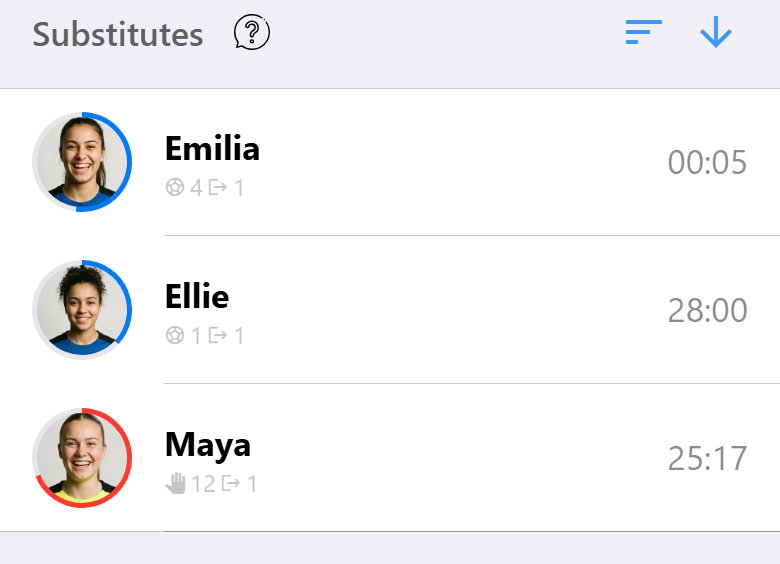
Under each name on the bench you see how long that player has been resting, and under each name on the court how long they have been on. Those two numbers are what you actually substitute on.
Preparing a substitution for later
Often you tell a player they are coming off after the next attack. Prepare that substitution straight away and carry it out the moment the player leaves the court, so you are not searching for a name at the moment it matters.
Prepared substitutions show on the action button at the bottom of the screen, where they can be carried out one by one or all at once. They can also be canceled if the match moves on.
Because prepared substitutions travel to the other devices in a shared match, one person can prepare them and another can carry them out.
The substitution view
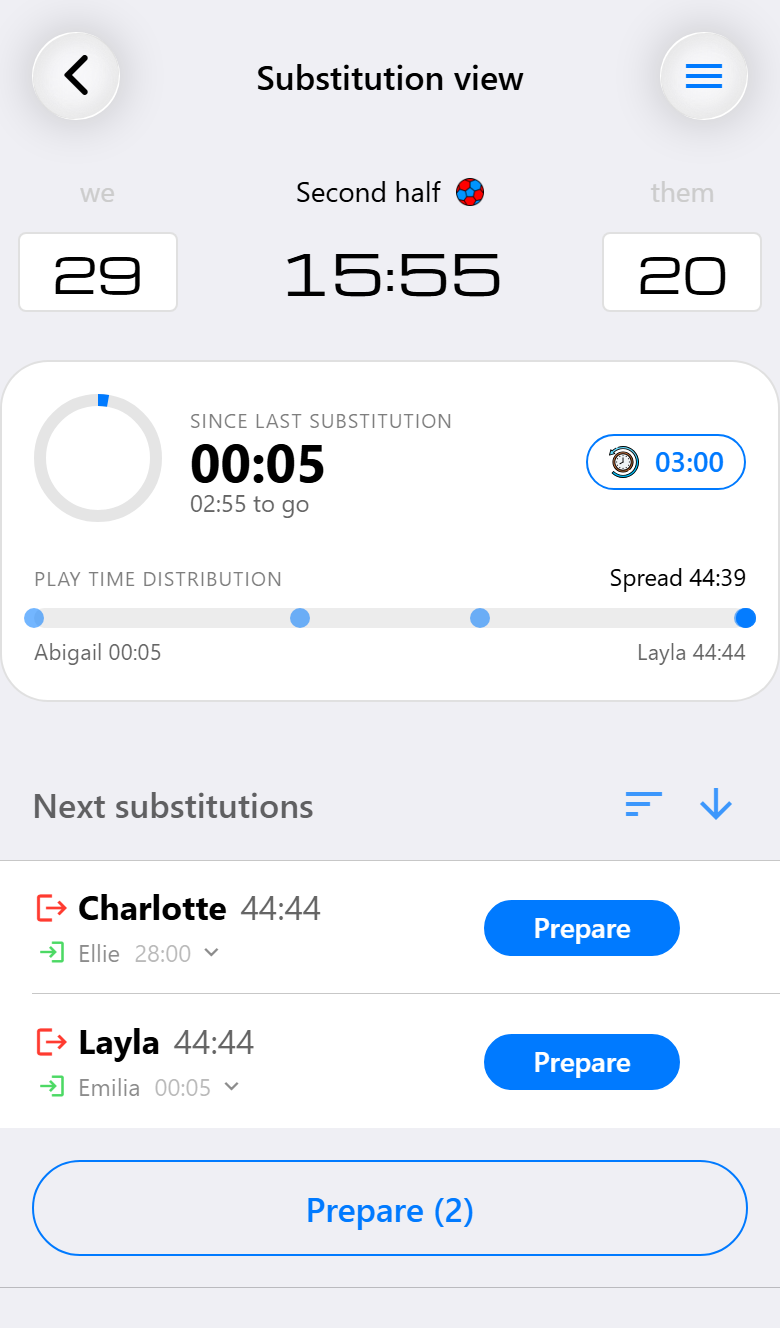
With Pro a match can be opened in a view that shows nothing but the clock, the playing times and the substitutions. No scoring, no cards, no timeline. It is meant for one person in a crew of two or three whose only job is keeping everyone on court for a fair share of the match.
Switch to it from the action panel. The choice is remembered per match, including after the app is closed, so the device that does substitutions keeps doing substitutions.
The scoreboard at the top is read-only here, so a stray tap cannot score a goal on the screen whose job is something else entirely.
The rhythm card
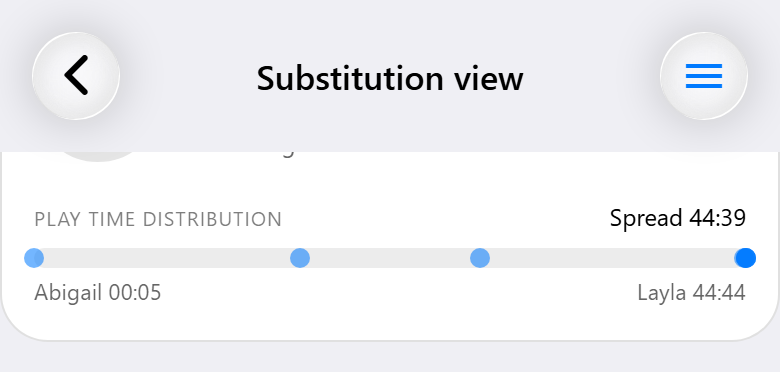
Two things, side by side.
Since last substitution shows how long ago your last change was. Set a reminder and the ring fills as that time passes; when it is full, the reminder goes off, so a quiet ten minutes does not pass without anyone noticing.
Play time distribution plots every player between the one who has played least and the one who has played most, with the spread between them. A tight cluster means an even match. One dot far off to the right is a player you have forgotten to take off.
The suggestions
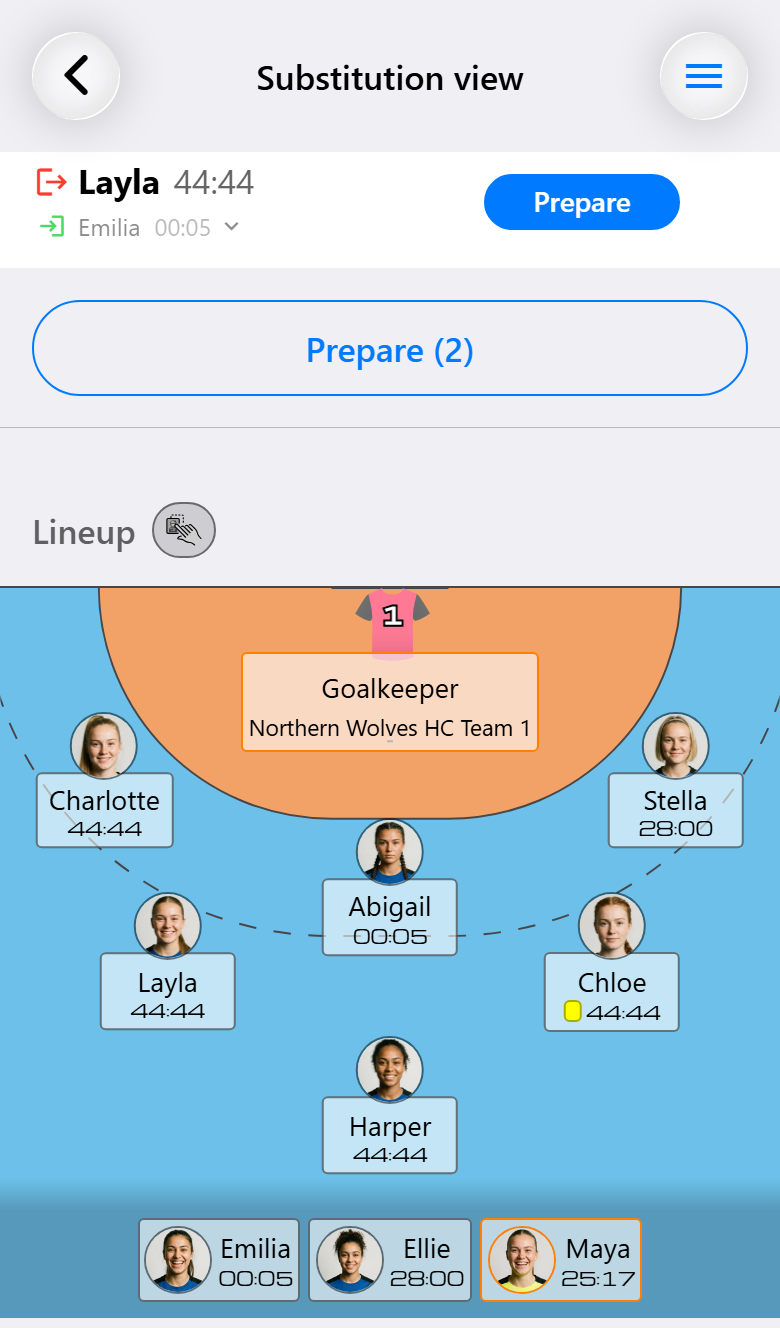
Under the rhythm card the app proposes pairings: who to bring on, for whom, with both playing times beside them. Time decides who goes: the players who have been on longest come off and the ones who have rested longest go on. Positions decide who takes whose place, so a wing comes on for a wing when the bench has one. For that, the app uses the positions set for each player in this match, which start from the preferred positions in their profile, including how well each one suits them. For a player without any, it falls back on the positions they played in the team's last ten matches.
Each name carries the arrow the court uses: green for going on, red for going off. Which of the two comes first in a row depends on the sorting. Sorted on play time, the player who has to come off leads and the arrow under them picks who replaces them. Sorted on rest time, the player whose turn it is leads and the arrow picks who they replace.
They are suggestions, not instructions.
Tap Prepare to add a suggestion to the prepared substitutions. From then on it behaves like any other prepared substitution, ready to be carried out the moment the player comes off. Tap Execute next to a prepared one to carry it out, or the cross beside it to cancel it.
With more than one substitution in the list, buttons underneath handle them together. Prepare (2) prepares every suggestion that is left, and Apply (1) carries out everything that is prepared. If both apply, you see both.
When there is nothing sensible to suggest, the list says so rather than inventing something.
A better line-up
A player who comes on takes the spot of the player who went off, and that spot may suit someone else on the court better. When it does, a button with a count appears on the right of the line-up header, in the substitution view and on the match screen alike. It opens the suggestion: which players should change places, from where to where. It can be two players swapping, or a chain of three or more that puts everyone in a position they prefer. The lines read the way you would call them out on the court: a swap is one line, two names with ⇄ and where they stand now underneath, and in a chain every player gets a line of their own saying where they go. The count on the button is the number of changes, so a swap and a chain each count once.
Apply position changes registers all the moves at once. Ignore hides the suggestion until the court changes and there is something new to suggest. A line-up that is only slightly off is left alone, because every move is something the players have to act on during play.
These suggestions only use positions that were actually set, for the player or for this match. They are not guessed from earlier matches, so on a court where nobody has positions the button does not show. Teams that do not use them switch them off with Position suggestions (Pro), in the team's default match settings, in the match assistant or in the settings of a match, even while it is being played. The setting is available when substitutions are on and a match has six field players.
Rules the app keeps for you
A suspension for a player on the bench forces a substitution. Handball says a team plays a player short after a two-minute suspension, even when the punished player was not on court. The app asks who comes off, rather than letting the timeline drift out of step with the rules.
A player with a red card cannot come back on. They disappear from the bench.
Swapping the goalkeeper and a field player is a Max feature, for the extra field player some teams bring on during a suspension.
What you need for what
| Base | Pro | Max | |
|---|---|---|---|
| Substituting by drag, tap or bench | ✓ | ✓ | ✓ |
| Preparing substitutions for later | ✓ | ✓ | ✓ |
| Playing time on court and on the bench | capped | ✓ | ✓ |
| Forced substitution after a bench suspension | ✓ | ✓ | ✓ |
| The substitution view | ✓ | ✓ | |
| Rhythm, reminder and suggestions | ✓ | ✓ | |
| Switching position suggestions on or off | ✓ | ✓ | |
| Positions per match, also for guest players | ✓ | ✓ | |
| Prepared substitutions shared across devices | ✓ | ✓ | |
| Goalkeeper and field player swapping roles | ✓ |