
Getting started
Choosing how much to record
Available on every plan
Handballmaestro is made for every handball coach. For the one who only wants the goals and shares them live with the people at home, and for the one who records every action of both teams and takes the match apart afterwards. And for everyone in between.
It is the same app for all of them. What differs is what you switch on when you set up a match, and whatever you leave off stays out of your way. A coach who records only goals never sees a court, a bench or a shot screen.
Below are five steps, from the simplest to the most complete. Start on whichever fits, and move up when you want more. Every step keeps everything from the steps below it.
1. The score, live for the people at home
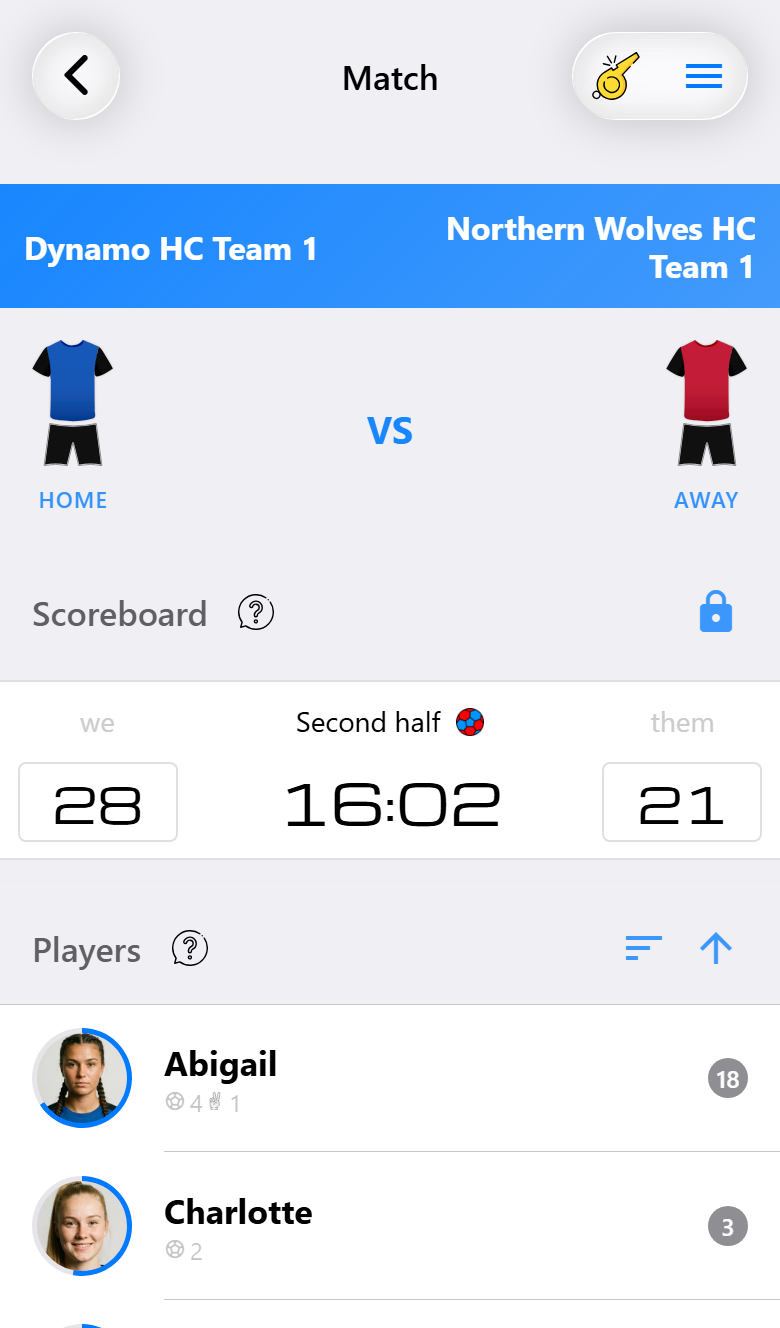
For the coach who wants to know who scored, and wants the grandparents to follow along.
Switch substitutions off when you create the match. The match screen is then the scoreboard and a list of your players. Tap a player and choose Scored for a goal, and tap the opponent's score when they score. That is all there is to it.
Share the live scoreboard and anyone with the link follows the score, the clock and every goal in a browser, without an app. Afterwards there is a report with the scorers.
Base is enough for this, for free.
2. Substitutions, playing time and cards
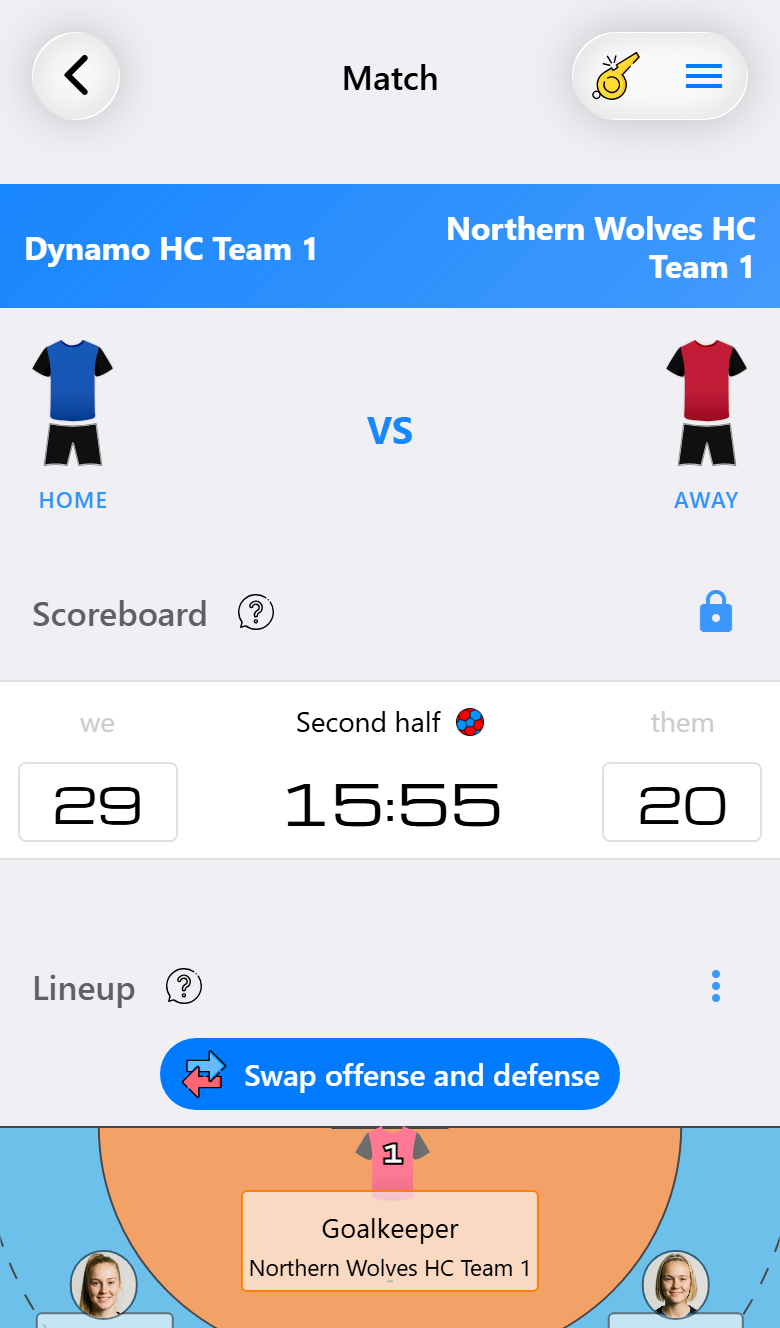
For the coach who wants everyone to get a fair share of the match.
Leave substitutions on and your players appear on a court, with the bench underneath. Under each name you see how long that player has been on court, or on the bench. Drag a substitute onto a player to make the change. Suspensions and cards go through the same sheet as goals, and the clock stops by itself on a suspension.
This works on Base. With Pro the playing times keep counting in full instead of stopping at a few minutes, and you get the substitution view, with suggestions for who should come on.
3. Every shot, ours and theirs
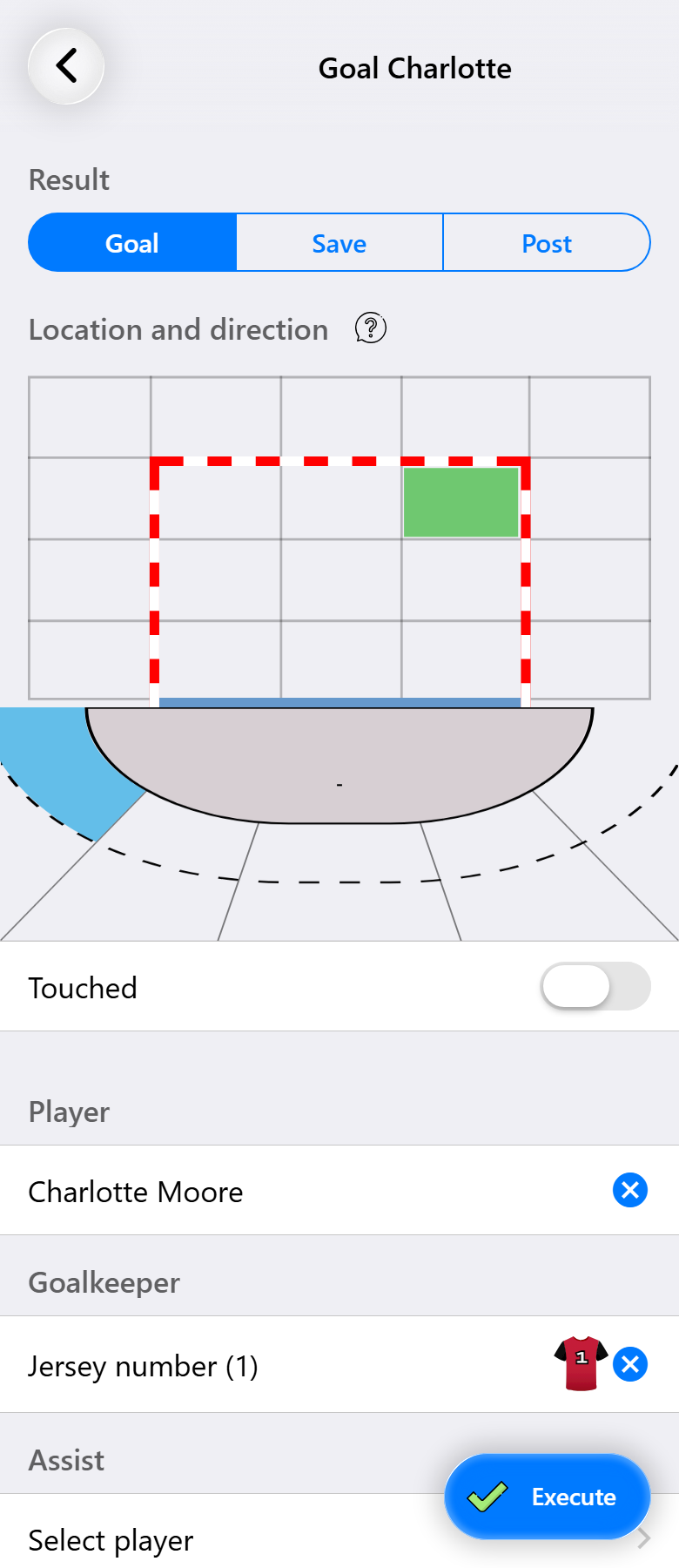
For the coach who wants to know why a match was won or lost, not only by how much.
Switch on shot attempts and every shot gets a result, not only the goals: a save, the post, wide. You also record where it was taken from, where it went and who gave the pass. Do the same for their shots and the report shows, for both sides, where the shots came from and where they went. That is how you find out their goalkeeper never gets down to the low corners.
This needs Pro. See Everything you can record.
4. The ball lost and the ball won
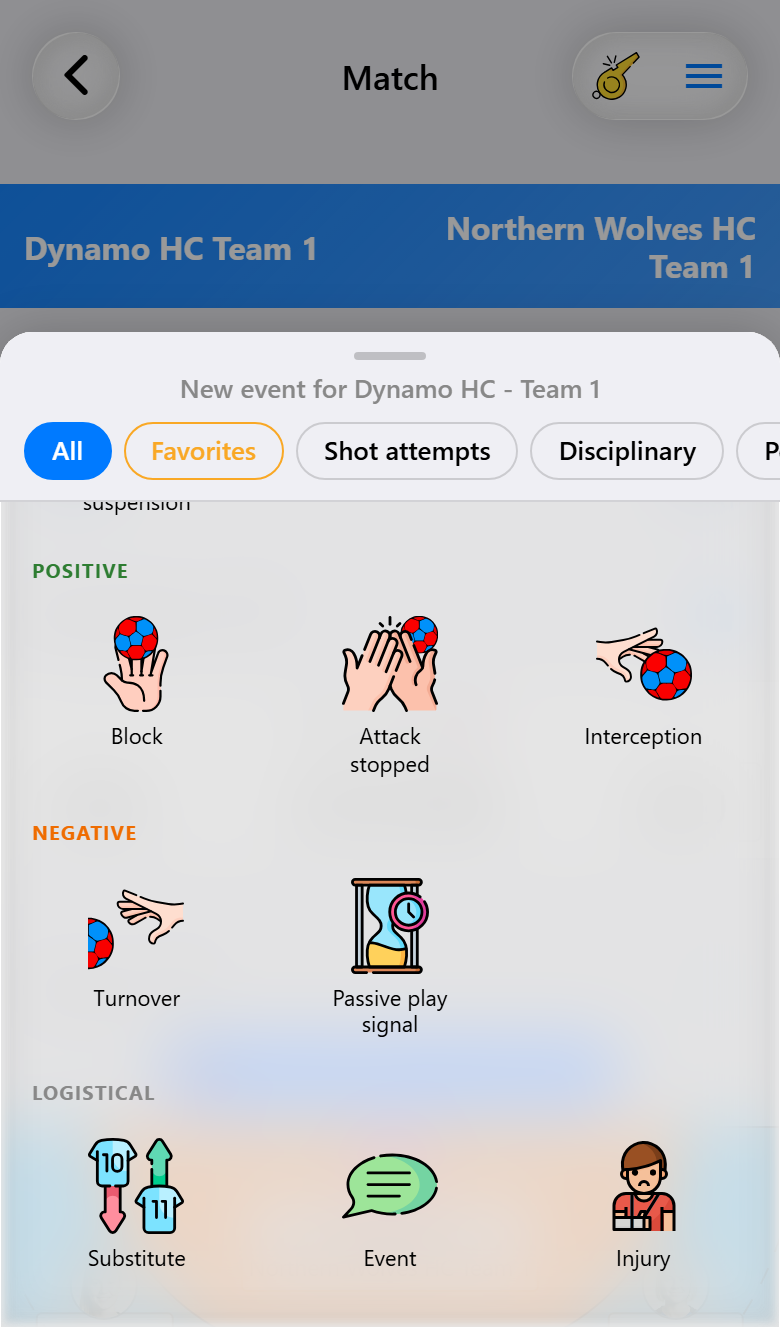
For the coach who wants to see what happens between the shots.
Turnovers, interceptions, blocks, fast breaks and passive play. These are the actions that explain a run of goals against, or a lead that slipped away. They sit in the same sheet as everything else, and the ones you use most can be pinned under Favorites. See Favorite actions.
This needs Max. Recording this much on your own is hard to keep up with during play, so this is where a second person usually joins in. See Recording together.
5. Everything, both teams, and the analysis afterwards
For the coach who prepares the next match from the numbers of the last ones.
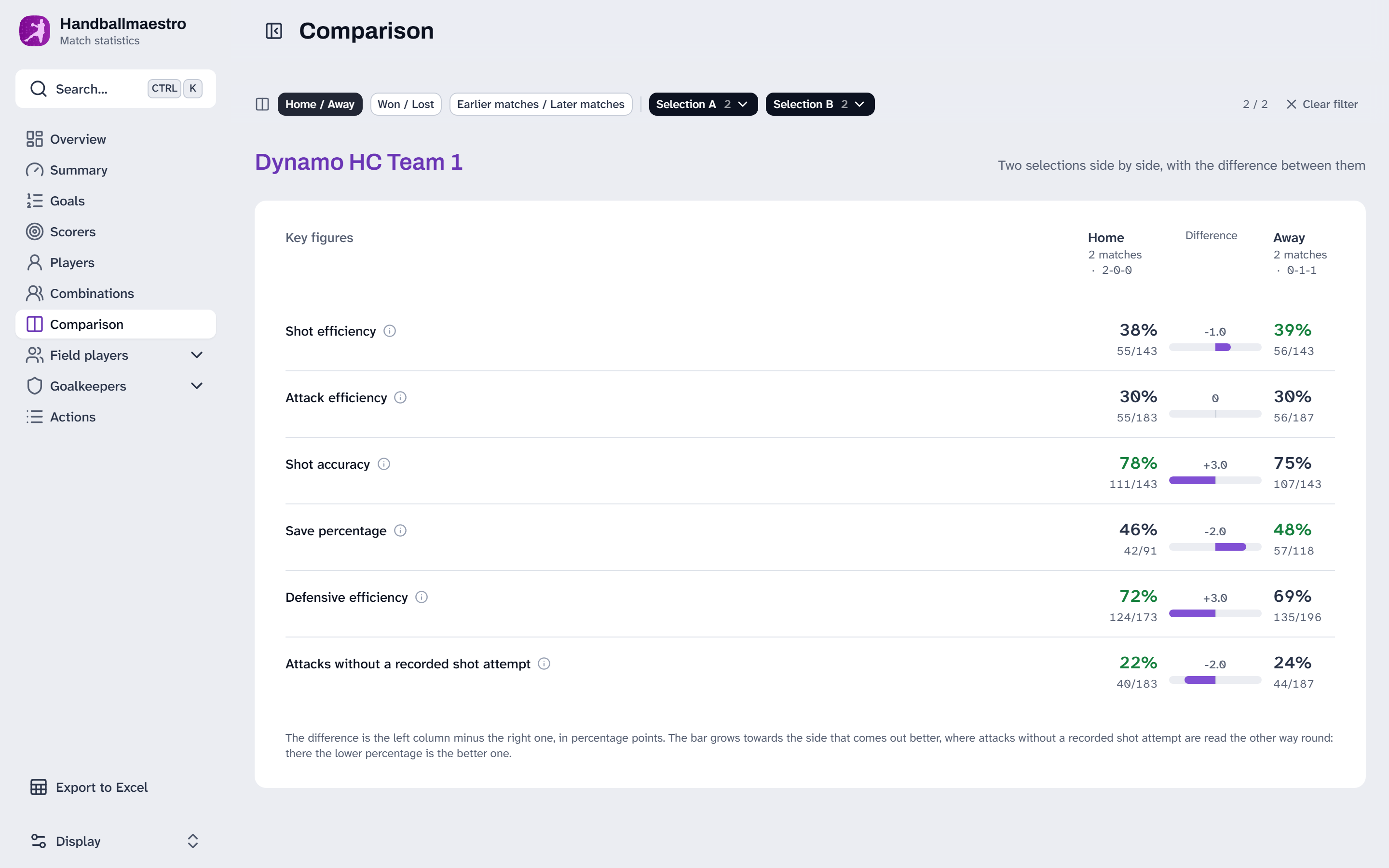
With the opponent's court, their players get jersey numbers too, so their shots, cards and suspensions are booked on a player instead of on the team. The bench follows the match on the coach dashboard. After the final whistle the statistics website takes it apart: by player, by minute, by phase of play, by where the shots came from. Not only for one match but for a whole selection, such as home against away, or the first half of the season against the second.
This needs Max, and it works best with a crew. See Recording with three people.
Moving between steps
It is set per match. The settings in the match assistant decide what a match records. A friendly can be a step 1 match and the league match on Saturday a step 5 match, in the same team. With Pro you save your usual choice as the team's default. See Setting up your team.
You do not have to decide up front. A demo team comes with a season already played and every step switched on, so you can look at all five before choosing. See Trying everything on a demo team.
The subscription follows the step, not the other way round. Which step needs which plan is listed in What it costs and what you get.
| Step | What you record | Plan |
|---|---|---|
| 1 | Goals, shared live | Base |
| 2 | Substitutions, playing time, cards and suspensions | Base, Pro for full playing times |
| 3 | Every shot, for both teams | Pro |
| 4 | Turnovers, interceptions, blocks, fast breaks | Max |
| 5 | Everything for both teams, and the statistics website | Max |