
After the match
Knowing your opponent
Available onProMax
You play most teams more than once: twice in a league season, often again the season after, sometimes under a different name. What you noticed the first time is exactly what you want to know the second time. Who kept getting through on the left. Whether they sat deep in a 6-0 or came out to meet you. What worked for you, and what didn't.
The app keeps that together for you. You write notes during and after a match, and the match is linked to the team you played. The next time you face them, those notes are waiting for you. Each opponent also gets a page of its own with everything your team has learned about them.
Your opponents
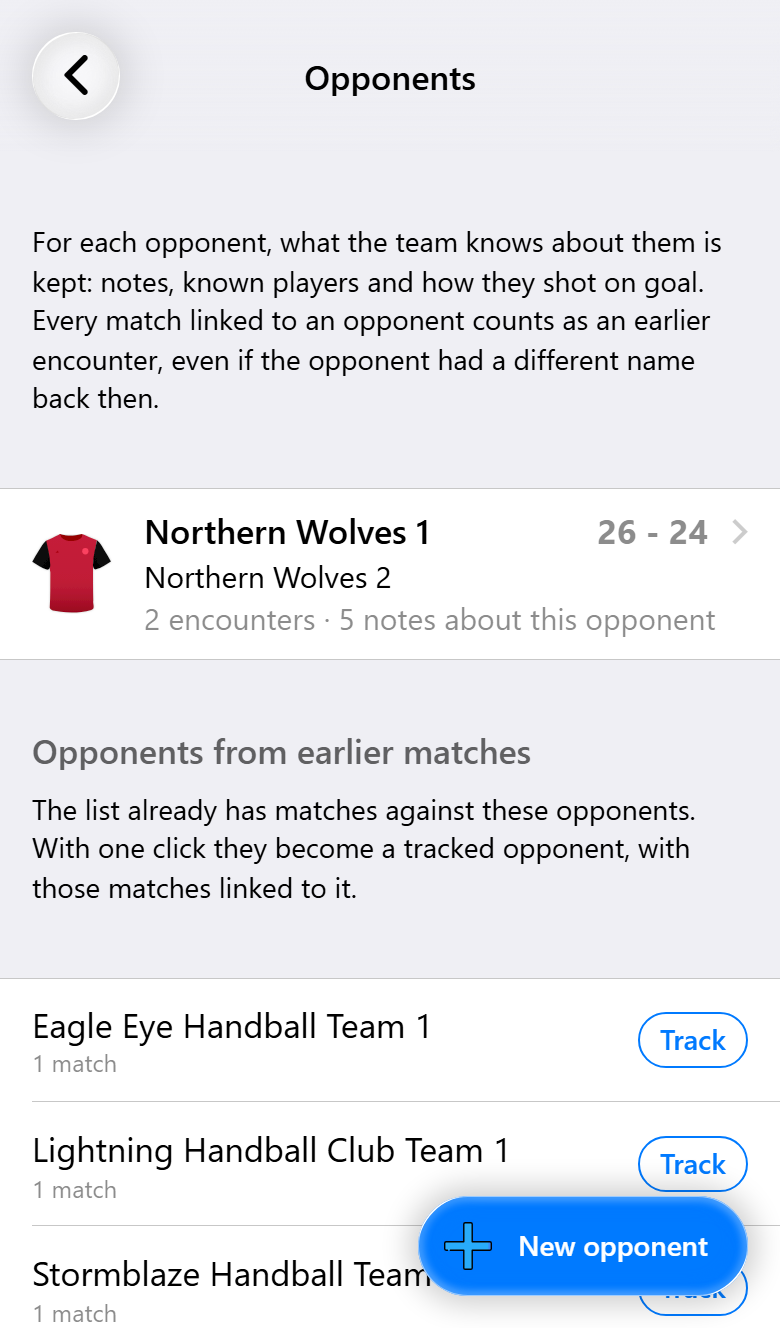
To see them all, tap Open on the Opponents card on the home screen. The teams you keep track of are at the top, each with any other names they played under, how often you played them, how many notes there are and the last result.
Further down, Opponents from earlier matches lists teams you have played but don't track yet. Tap Track next to one and the matches you played against them are gathered under it straight away. New opponent adds a team you haven't played at all, for instance to write down what another coach told you about them.
Tracking a team simply means it gets its own page. Every match linked to that page counts, whatever the team was called that day.
Linking a match to its opponent
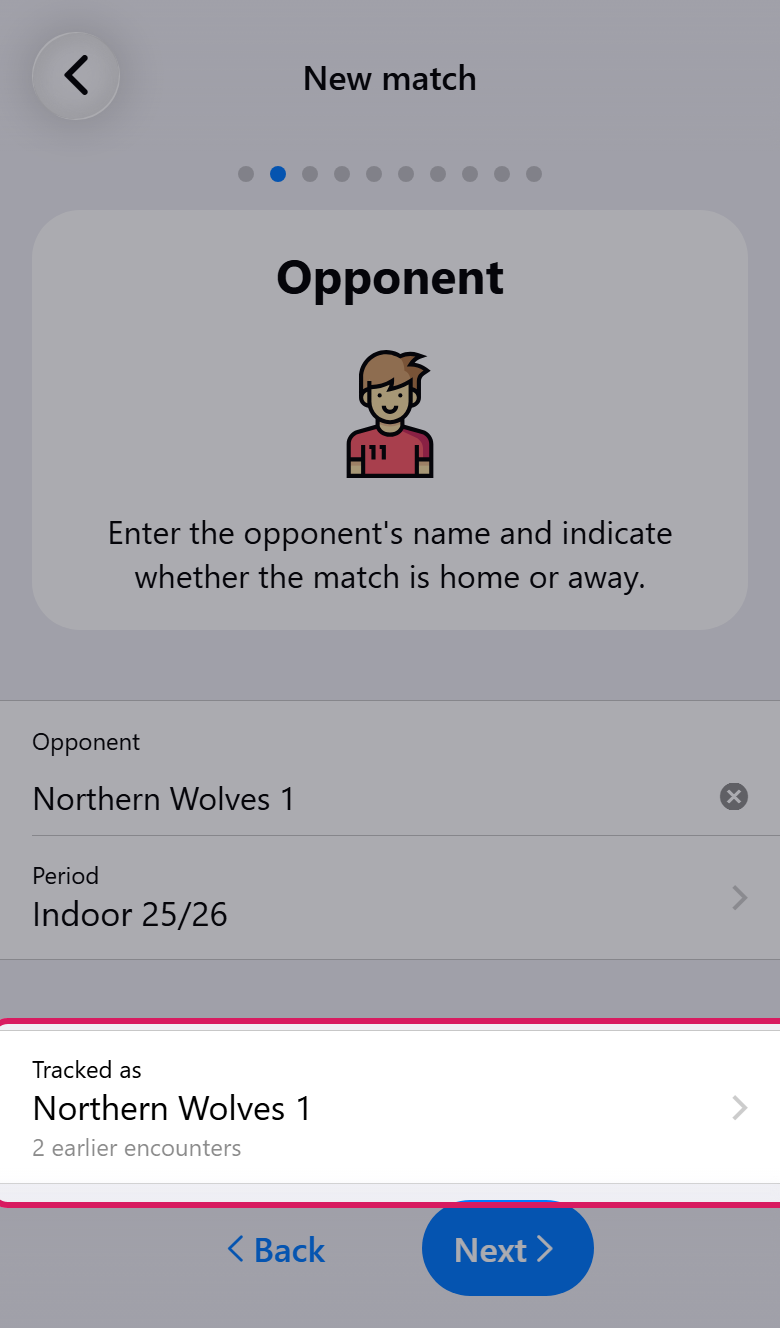
Usually there is nothing to do. Type the opponent's name in the match assistant, and if you already track that team, or they played under that name before, the app links the match on the spot. Tracked as below the name shows which team it picked and how often you have played them. Editing a match or a draft works the same way.
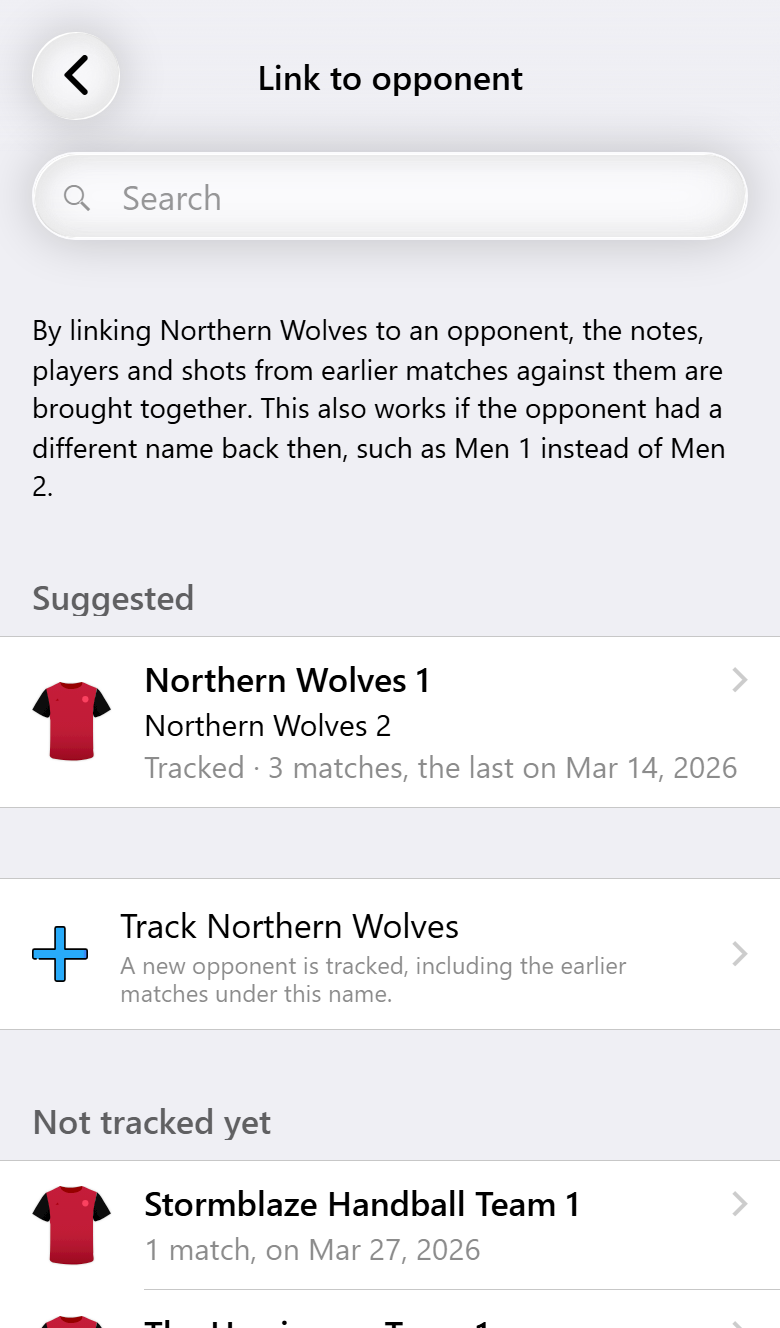
To pick the team yourself, tap that row. The likeliest choices come first:
- Suggested: teams with the same name, and other teams from the same club. That is how last season's Men 2 turns up when they are playing as Men 1 now.
- Track followed by the name you typed: starts a new opponent and brings in any earlier matches played under that name.
- Tracked opponents and Not tracked yet: every other team, with how many matches you played against them and when the last one was.
Link a match to a team under a name the app hasn't seen for them before, and it remembers that name: the next match under it is linked without you doing anything. Unlink at the bottom undoes it.
You don't have to link straight away. You can do it later from the match notes, from the card at the top of a match that hasn't started yet, or from the opponent's page with Link matches.
Writing notes
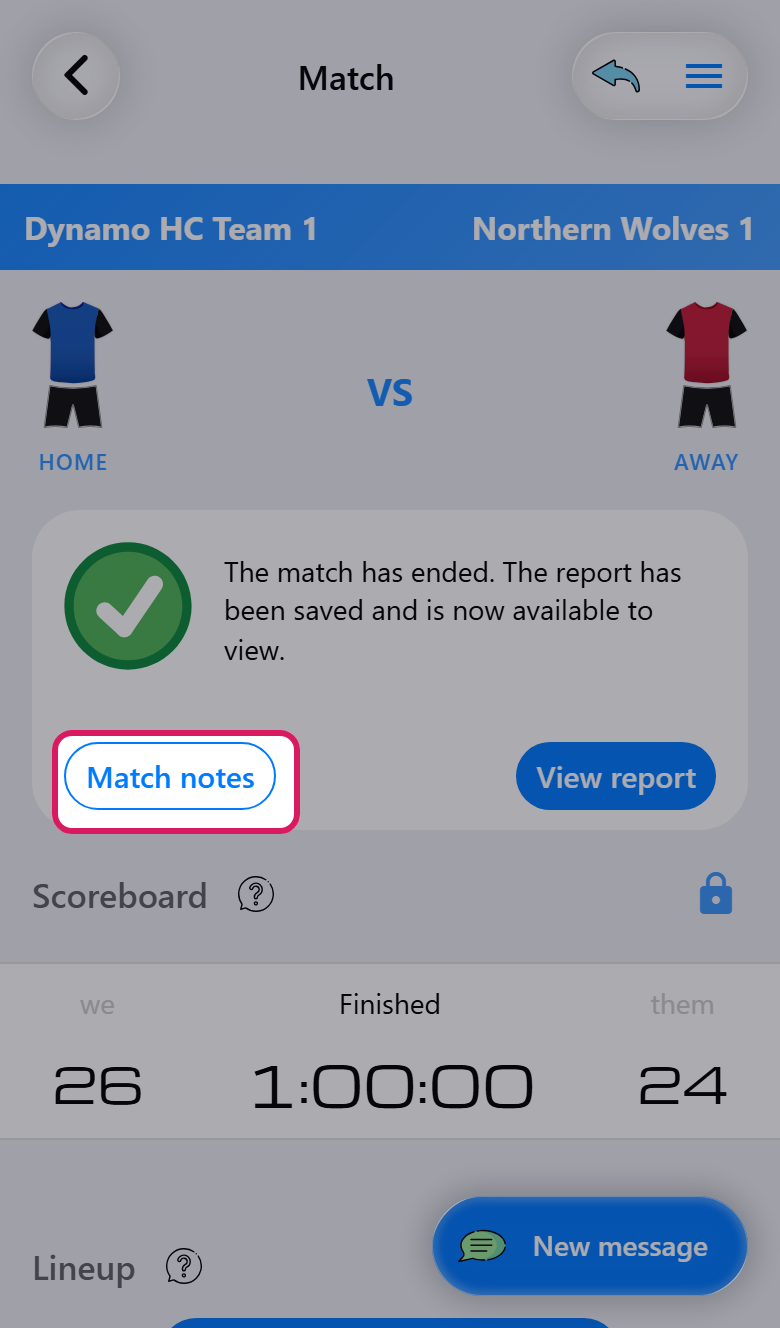
During a match, Match notes is in the match actions menu at the top right. After the final whistle, the card at the top of the match puts Match notes next to View report, because that is when most coaches sit down to write.
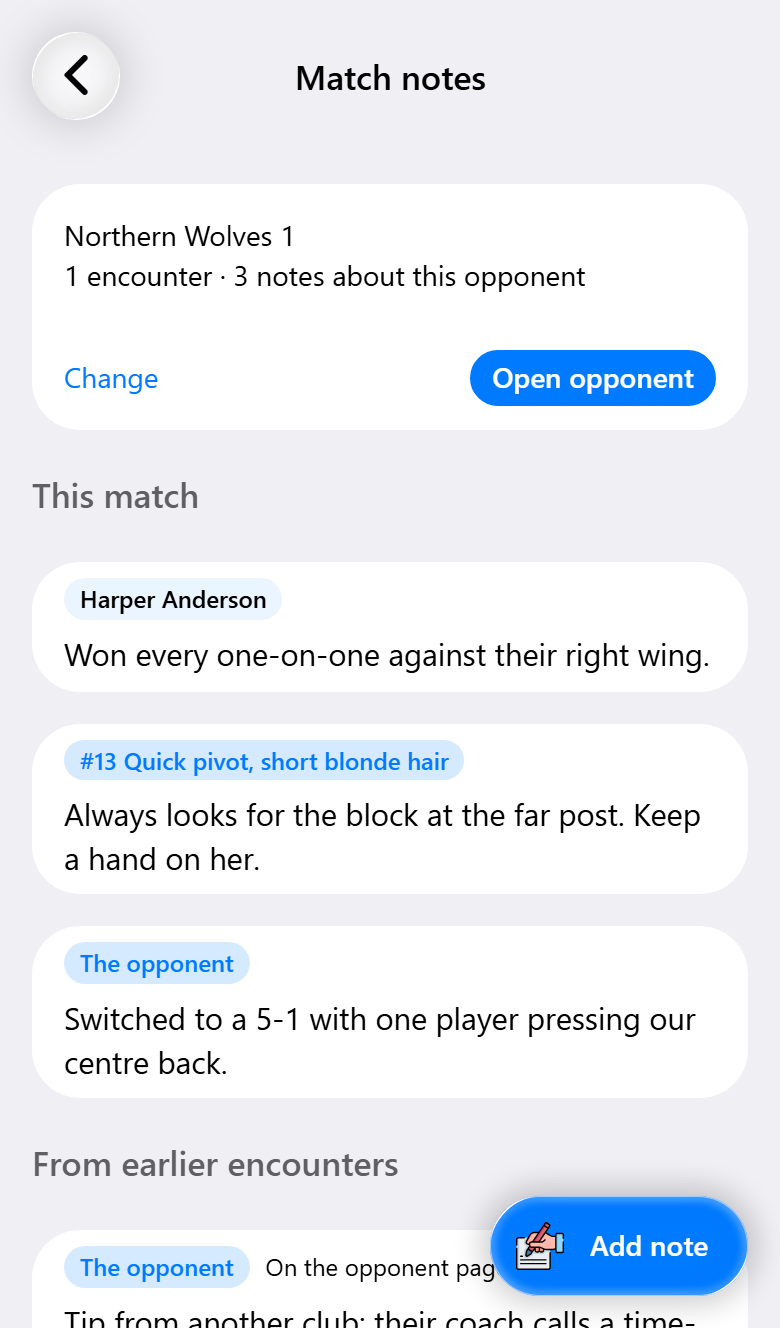
The notes page opens with the team the match is linked to: Open opponent takes you to their page, Change links it to a different team. Below that are the notes for This match, and under From earlier encounters everything noted about this team before, both in previous matches and on their page. Open it before the throw-off and your preparation is on one screen.
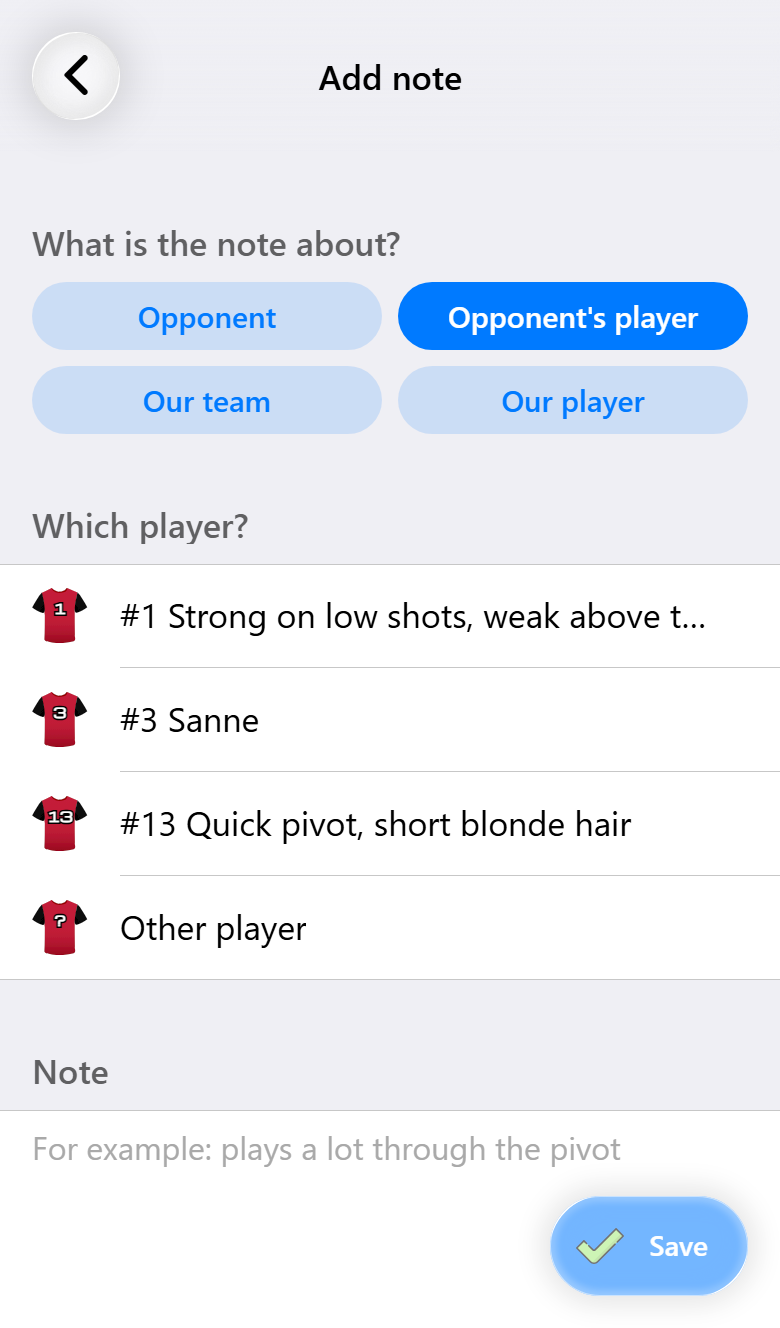
Add note first asks what the note is about: the Opponent as a team, an Opponent's player, Our team or Our player. For one of their players, pick someone your team already knows, or Other player to add someone new:
- Jersey number, picked from the shirts as everywhere else in a match. The numbers they already wore in this match are at the top, under In this match.
- Name, if you know it.
- Description: whatever you would recognize them by if the number changes, such as "tall, left-handed, black curly hair".
- Position.
One of number, name or description is enough. When you save, the player is added to the opponent's page, so next time you can pick them straight from the list.
Notes about your own team and players are kept with the opponent too, in a tab of their own: what worked against this team is worth reading again before you play them next. None of your notes ever appear on the live scoreboard.
When the match is not linked yet
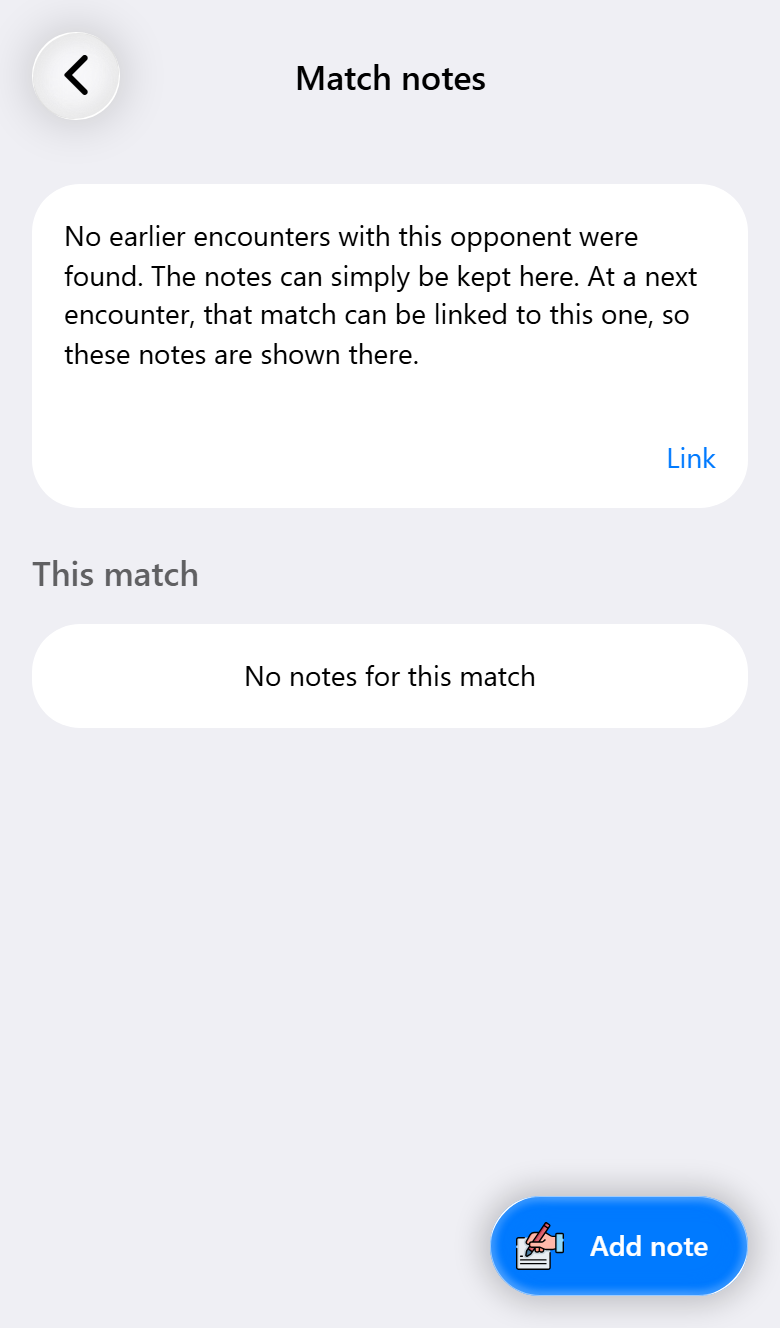
If a match isn't linked to a team, the card at the top tells you what the app found:
- No earlier encounters were found. You are playing this team for the first time. Just write your notes. When you play them again, link that match to this one and these notes will be there. Link is still available if you would rather start tracking them now.
- The team was played before. The card names the earlier matches against a team with the same name or from the same club. Link connects them in one tap. Choose another opens the full list.
- Only later matches. You are looking back at the first match of a series. Linking it carries its notes forward to the matches that followed.
There is one case where saving a note links the match for you. If you describe one of their players with more than a jersey number, the app needs somewhere to keep that player, so it starts tracking the team: under exactly this name, or as a new opponent. The form tells you before you save. A note with only a number stays with the match and links nothing.
The opponent's page
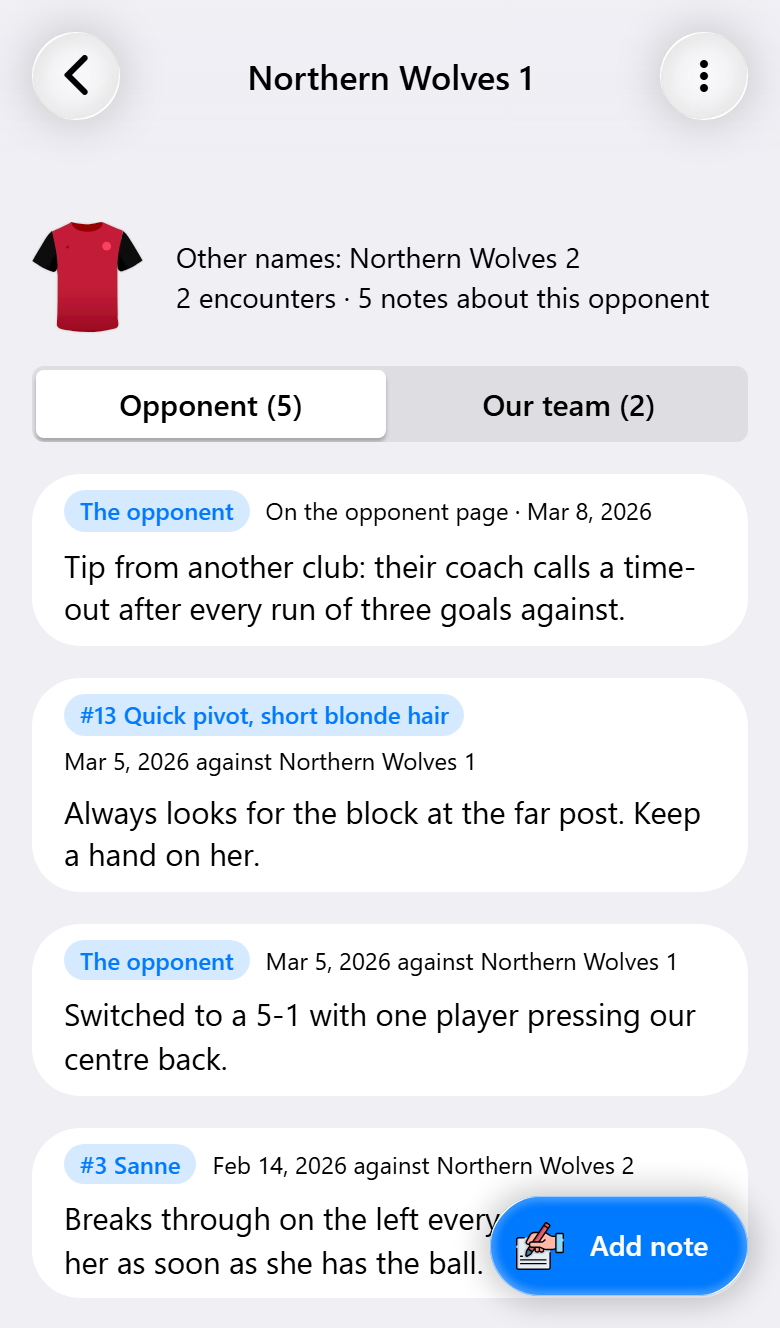
You reach an opponent's page from the list of opponents, from Open opponent in the match notes, from Prepare on a match that hasn't started yet, and from the report of a match you played.
At the top are their shirt, any other names, how often you played them and how many notes there are. The notes are split over two tabs: Opponent for what you wrote about them and their players, Our team for what you wrote about yourselves in those matches. Each note shows when and in which match it was written, or "On the opponent page" if it was written here. Use Add note for anything you learn away from a match, like something you spotted on video or heard from another club.
The menu at the top right lets you rename the team with Name of the opponent, add a name the app should also recognize with Add other name, or Delete the page. Deleting only removes the page: your matches keep their notes, they just aren't linked any more.
Their players
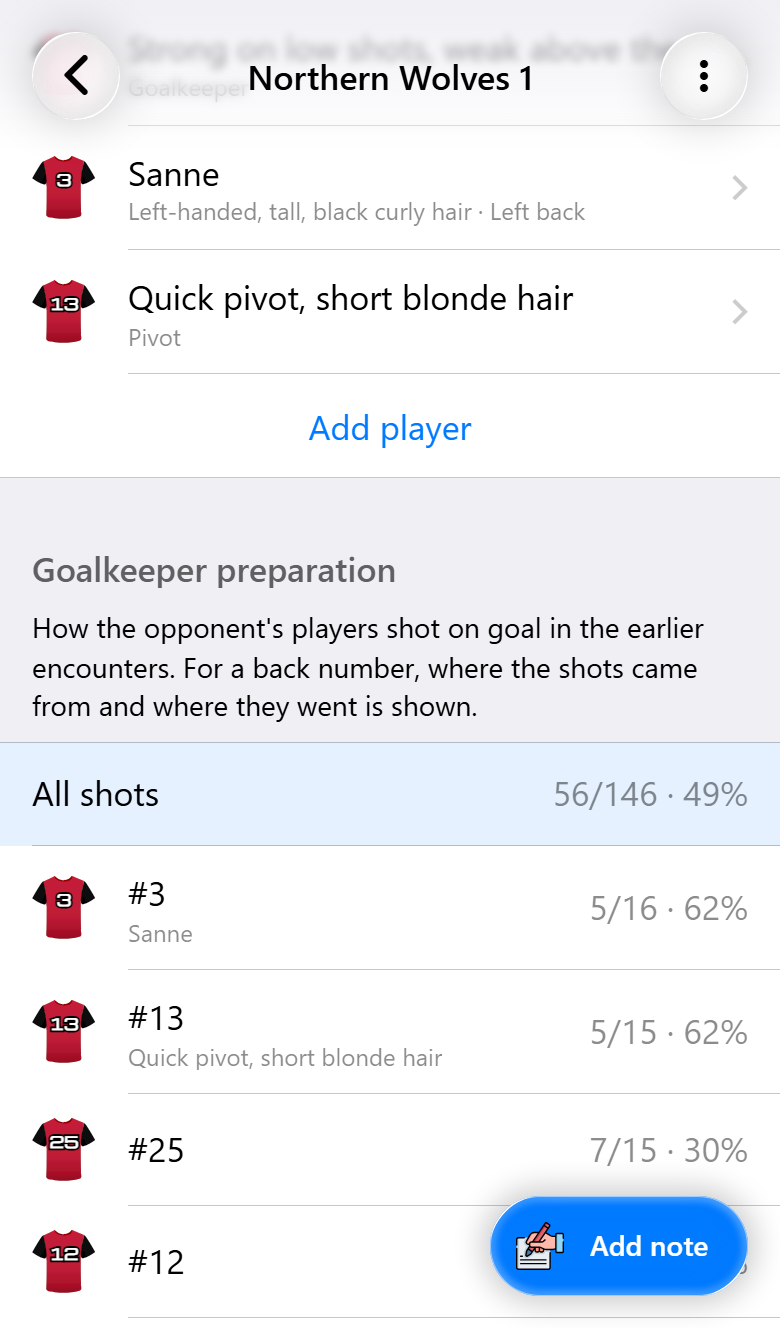
Players of the opponent lists everyone your team has got to know, with their jersey number, name or description, and position. Add player adds someone without writing a note.
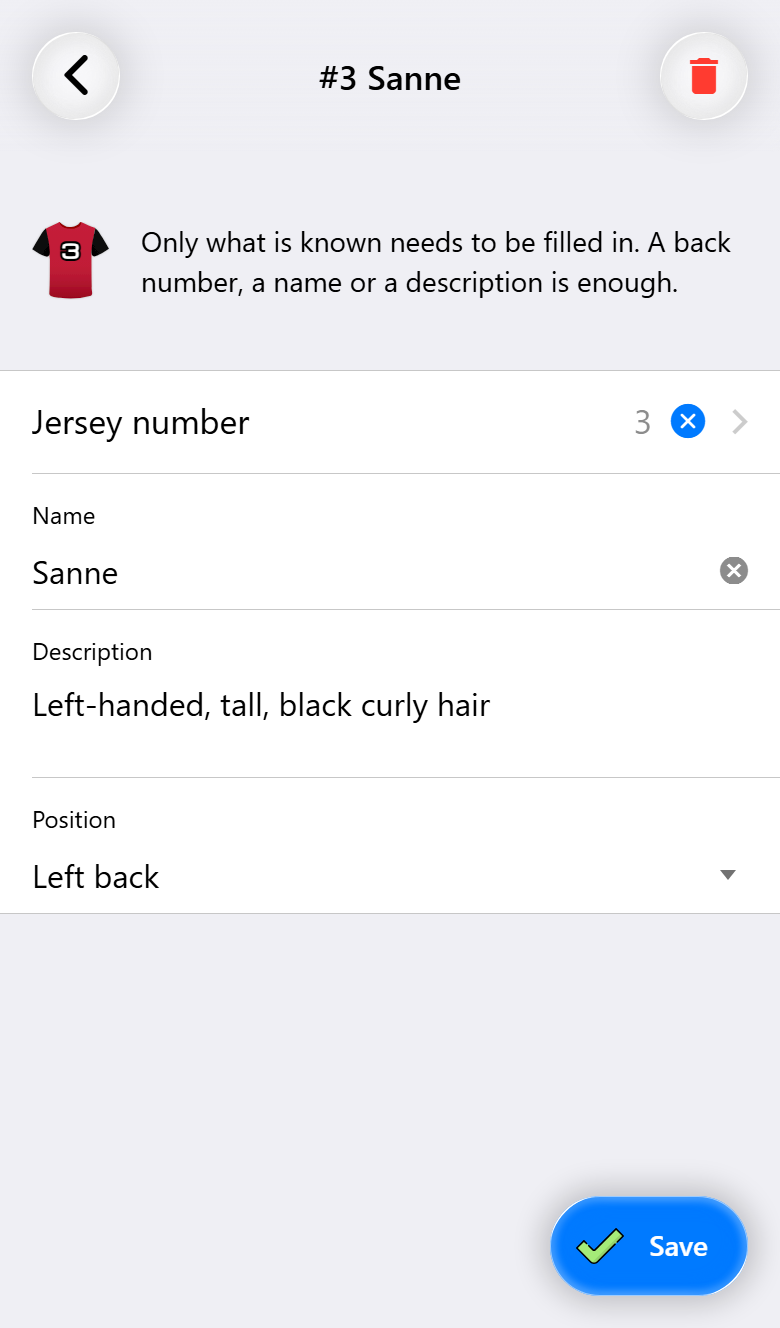
Tap a player to edit them.
Goalkeeper preparation
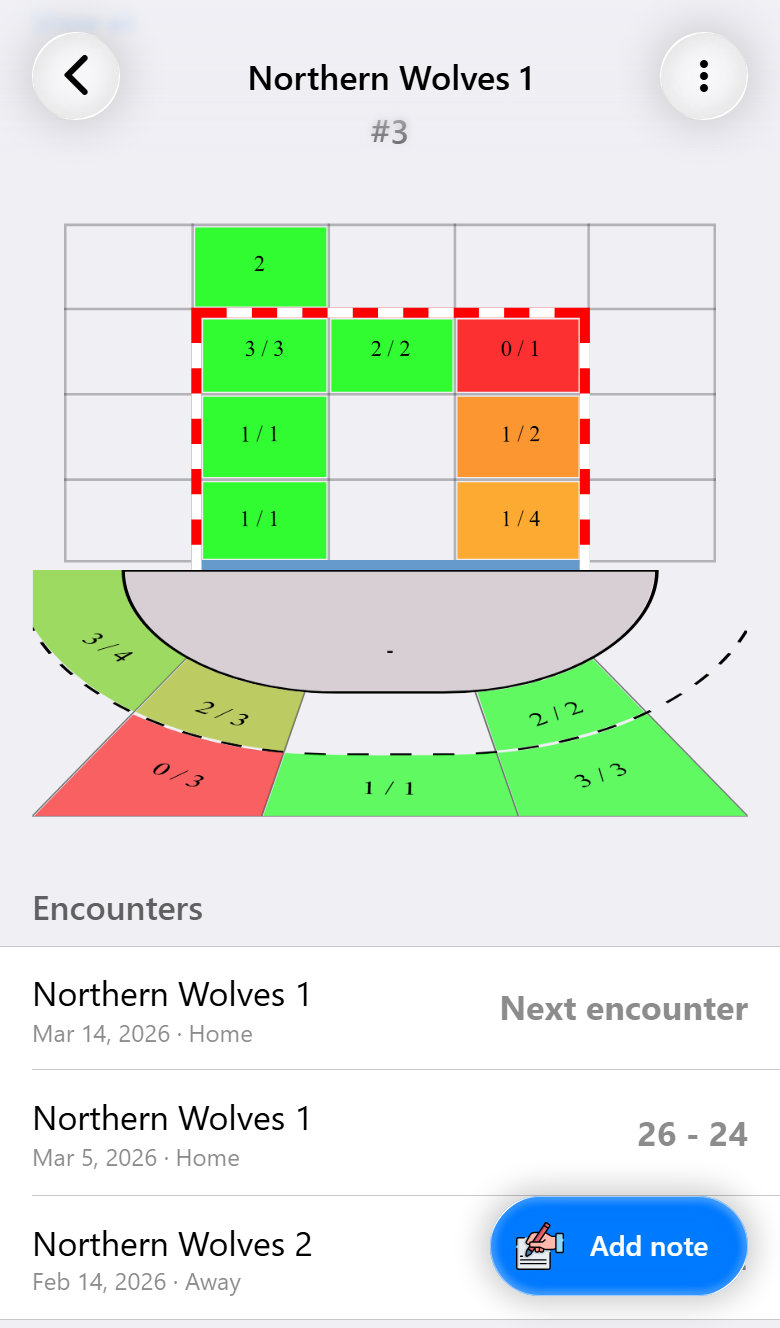
This is the part to show your goalkeepers. Goalkeeper preparation lists every jersey number that took a shot at your goal in earlier matches, with how many went in and the save percentage. Players your team knows are shown with their name or description. Tap a number, and the goal and court below show where that player shot from and where the ball went. All shots shows the whole team.
It only covers matches in which shots were recorded.
Below it, Encounters lists every match against this team with the score, under the name they had at the time, plus the next one on the schedule. Link matches adds any you haven't linked yet.
Before the next match
On a match that hasn't started yet, swipe the card at the top to the left to see the opponent card. It sums up your previous matches against them, the notes and the last result. Prepare opens their page, or Link if the match isn't linked yet. The match notes show the earlier notes as well, so anyone on your staff can read up before the throw-off.
Their shirt
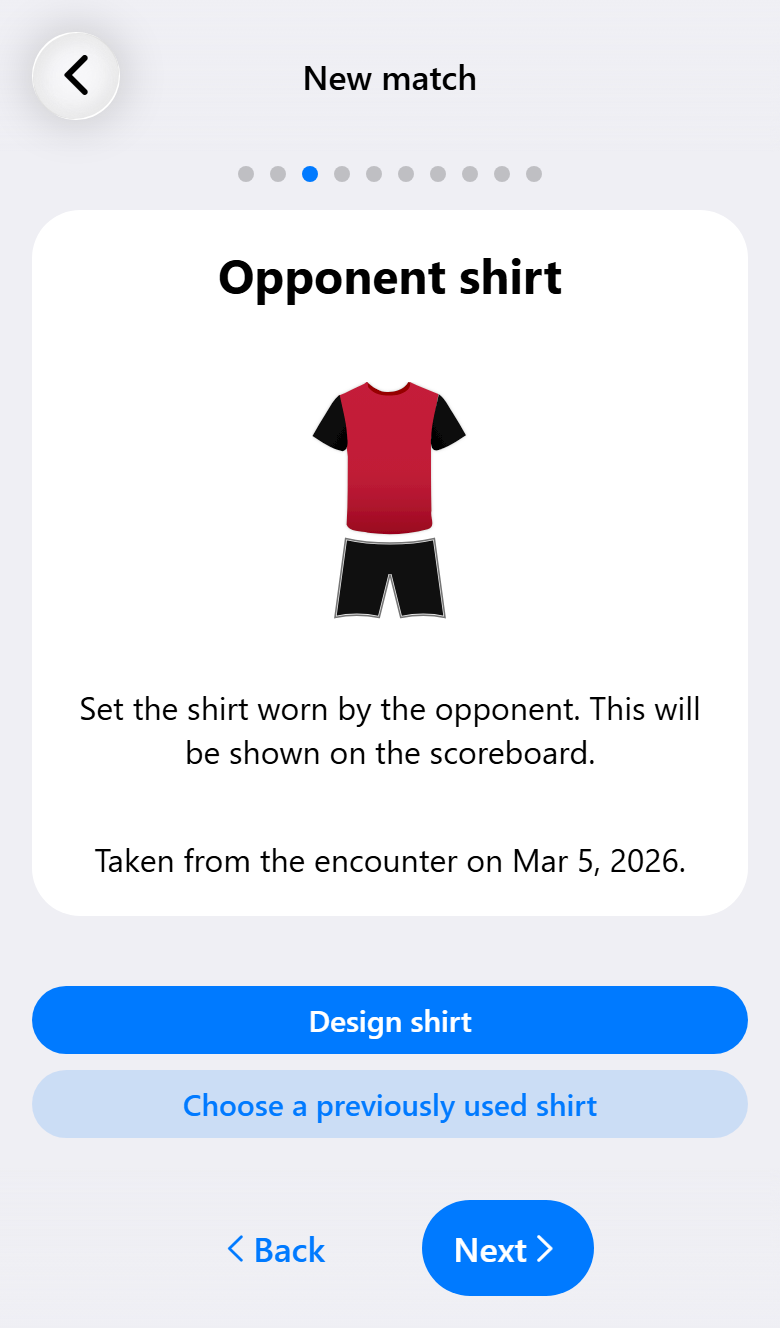
Once the match is linked, or the name is recognized, the match assistant fills in the shirt they wore last time and tells you which match it came from. A shirt you already designed or picked yourself is left alone.
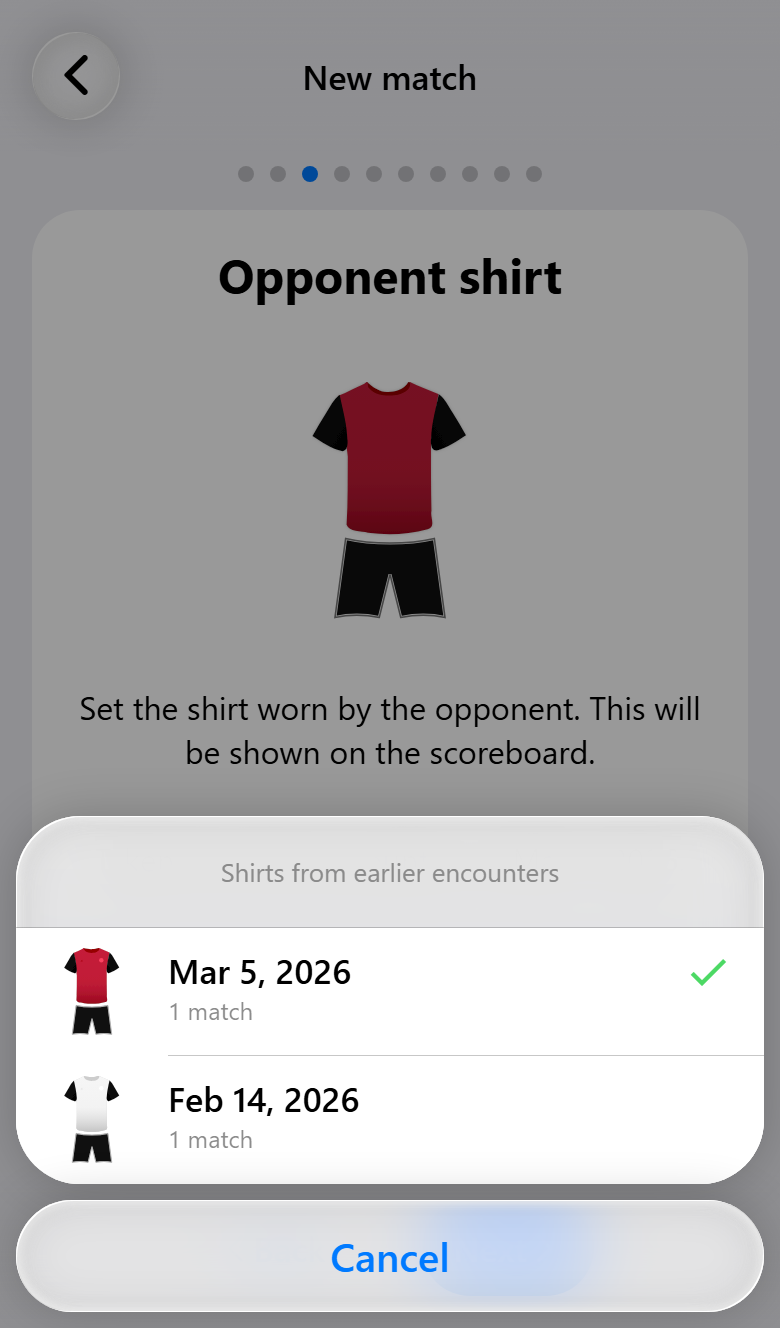
Last time is not always right: maybe they wore their away shirt, or the shirt was designed wrong. Choose a previously used shirt shows every design they have played in, most recent first, with the date and how many matches. Picking one makes a copy, so changing it afterwards doesn't touch the earlier match. This also works for teams you don't track, based on the matches under the same name.
Across seasons
Many coaches start a new team in the app every season. The new team takes over the old team's opponents once it knows which team it follows on from: set Previous season in the team settings, or duplicate last season's team, which sets it for you. From then on, last season's opponents are suggested when you link a match, and those matches count as earlier ones, each marked with the team that played it. See Multiple teams and periods.
On the statistics website (Max) you can also manage your opponents, their players and their notes, alongside the statistics of every match against them.
What you need for what
| Base | Pro | Max | |
|---|---|---|---|
| The opponent's shirt from the last match against them | ✓ | ✓ | ✓ |
| Match notes, during and after the match | ✓ | ✓ | |
| Tracking opponents and linking matches | ✓ | ✓ | |
| The opponent's page with notes and players | ✓ | ✓ | |
| Goalkeeper preparation | ✓ | ✓ | |
| Opponents across seasons | ✓ | ✓ | |
| Managing opponents on the statistics website | ✓ |