
During the match
Recording together
Available onProMax
It is hard for one person on one phone to keep up with everything in a handball match. With Pro, several people record the same match at the same time, each on their own phone: one takes the shots, another the substitutions, a third the cards. It all ends up in one match, with one timeline and one report. Recording with three people explains how a crew of three divides the work.
How it works
The match runs on the server. Everything anyone records goes there, and from there to the other phones, within moments. Nobody has to stay online for the others: if the phone that started it runs out of battery, the match carries on and that phone catches up when it is back.
One person is the administrator. That is whoever switched it on. The administrator looks after the line-up and the match settings; everyone else records along and sees those changes straight away. Everyone can work on the timeline, so a mistake can be put right by whoever spots it.
Only the administrator's team needs Pro. The people who join need no subscription of their own, and not even an account: the match brings the features of the team it belongs to.
Starting it
Open the match, then Online match center in the menu at the top right, and the Collaborate tab. Switch on Enable.

Tap Create QR code to show a code the others can join with.
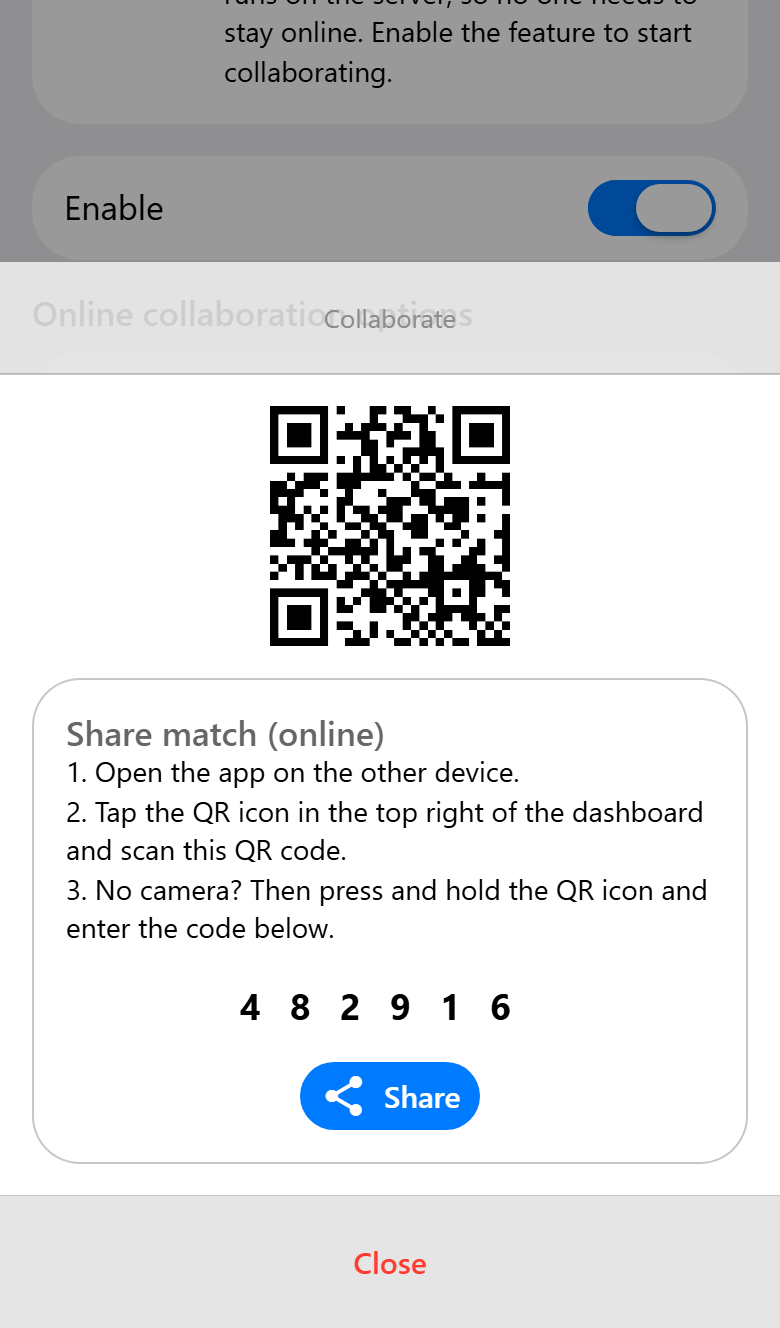
Show the QR code, read out the six digits, or tap Share to send it in a message. A code works once and stays valid for three days, so it can go out the evening before. For a third person, create a code again.
Joining
On the other phone, open the app and tap the QR button at the top right of the home screen, then scan the code. Without a camera, press and hold the same button and type the six digits.
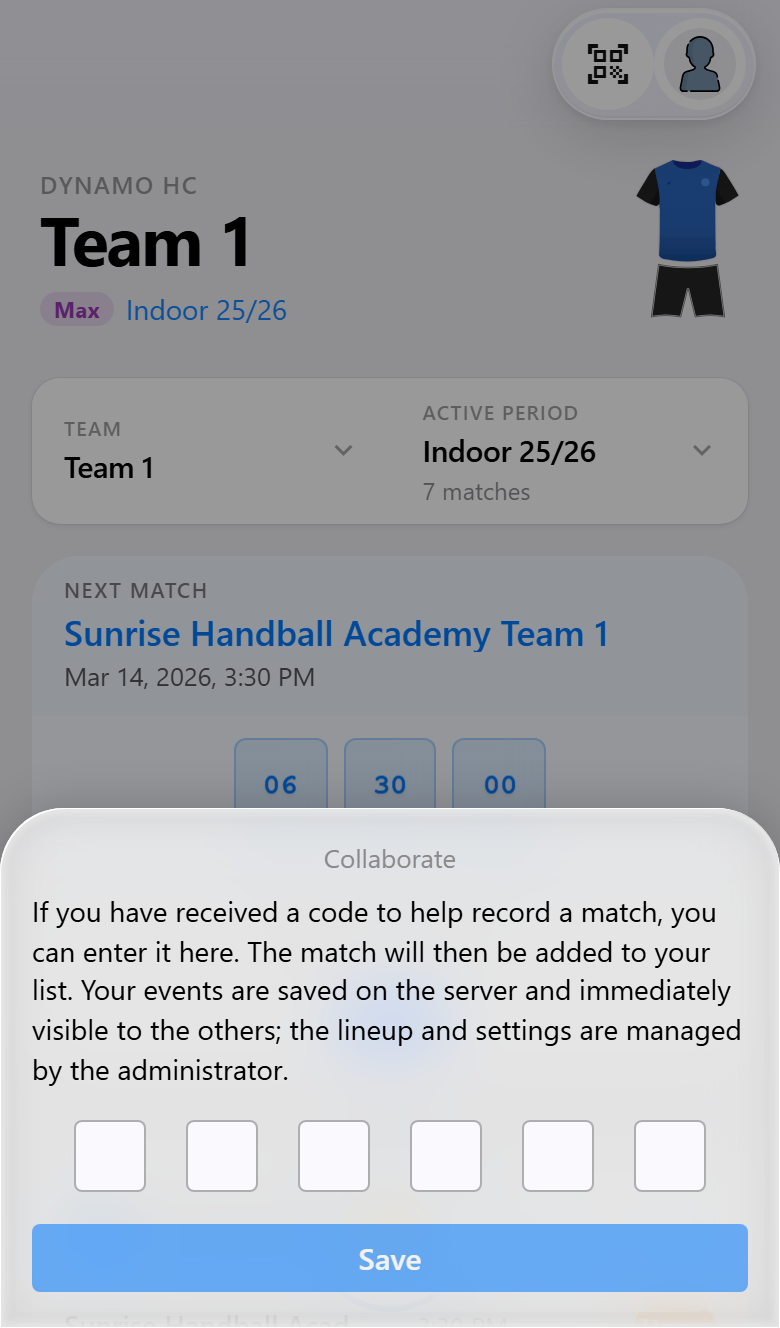
The match is added to your list, and from then on it opens like any other.
A shared team joins by itself. When your team is shared with another account (see Multiple teams and periods), there is no code to type. Open the match on a second phone and the app notices that it is already being recorded, joins it, and tells you who you are recording with.
During the match
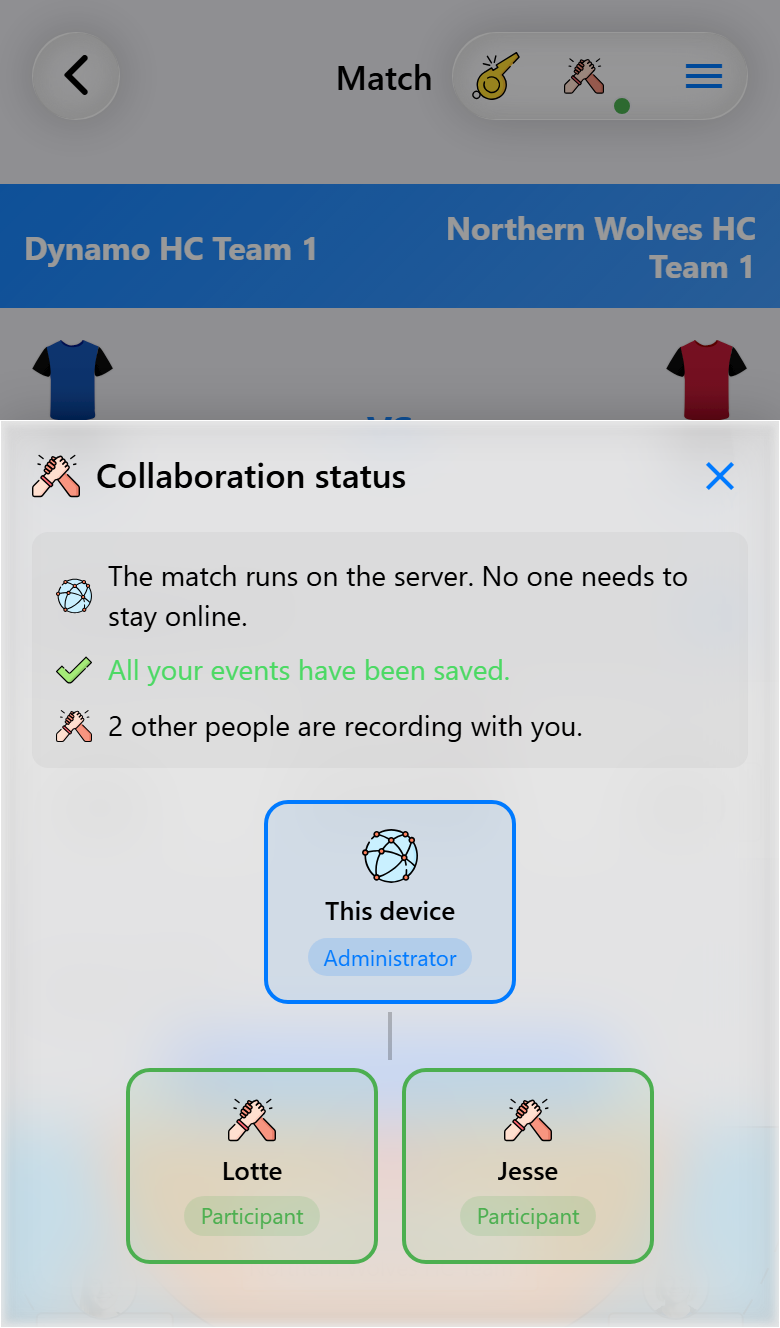
Once a match is shared, an icon with two hands shows at the top of the match screen. Its dot says whether what you recorded has arrived: green when it has been saved, orange while it is still being sent, red when you are offline. Tap it to see who is recording with you.
Offline is not a problem. Whatever you record without a connection is kept on your phone and sent the moment you are back online, in the right place on the timeline. A sports hall with bad reception costs you nothing but the wait.
Something recorded can be refused. An event the server cannot accept is reported to whoever recorded it, with the reason, and the message stays until it is closed. The same goes the other way round: when the administrator takes a player out of the line-up, whatever was recorded for that player no longer fits the match, and the administrator is told how many events that affected. Put the player back and those events come back too.
When the match is over
You do not have to end the session. Online recording stops by itself: a day after the final whistle, or after three days without anything recorded for a match that was never finished. The match stays in everyone's list.
To watch along rather than record, use the live scoreboard in the other tab of the online match center. See Live scoreboard.
What you need for what
| Base | Pro | Max | |
|---|---|---|---|
| Joining a match someone shared with you | ✓ | ✓ | ✓ |
| Sharing a match to record it together | ✓ | ✓ | |
| Joining automatically within a shared team | ✓ | ✓ | |
| The opponent court kept in step between phones | ✓ |