
During the match
Recording with three people
Available onProMax
Recording together explains how several phones join one match. This page is about what to do once they have: how a crew of three divides a match so that nothing is missed and nothing is recorded twice.
The split below is the one the app is built around, but it is a way of working, not a setting. Every phone in a shared match can record everything. What each person sees is their own choice.
Why three
One person can record a whole match, but not in full detail. A goal takes ten seconds if you also want where it came from, where it went and who gave the pass, and in those ten seconds there is a substitution and a suspension. Something has to give, and it is usually the detail.
Three people with one job each catch all of it:
| Records | Works on | |
|---|---|---|
| 1 | Every shot, ours and theirs | The match screen |
| 2 | Substitutions | The substitution view |
| 3 | Cards and suspensions, and the details of every shot | The review view |
Each phone shows what the other two record within moments, so the score, the clock and the line-up are the same on all three.
Before the throw-off
The administrator shares the match and makes a code for each of the other two. Join before the match starts, not during the first attack.
Then each phone picks what it shows. Open the menu at the top right of the match and tap Select view.
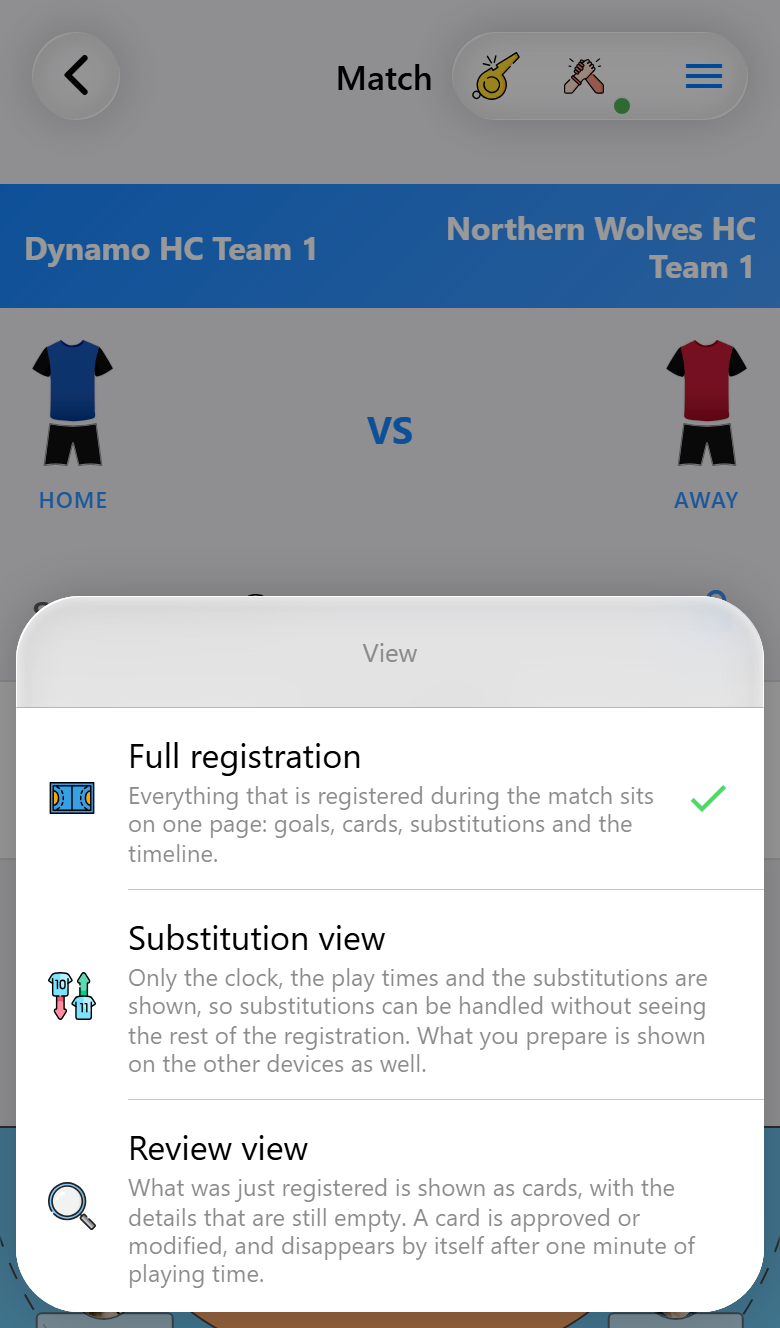
The choice only changes this phone. It is remembered for the match, even after the app has been closed, so a phone that comes back from a flat battery opens where it was.
Agree on two things before the start:
- Who runs the clock. Normally person 1, who has the full match screen and the clock in reach. The scoreboard in the substitution view cannot be tapped, so person 2 could not do it anyway.
- Who records goals. Only person 1. A goal tapped on two phones is two goals.
Person 1: the shots
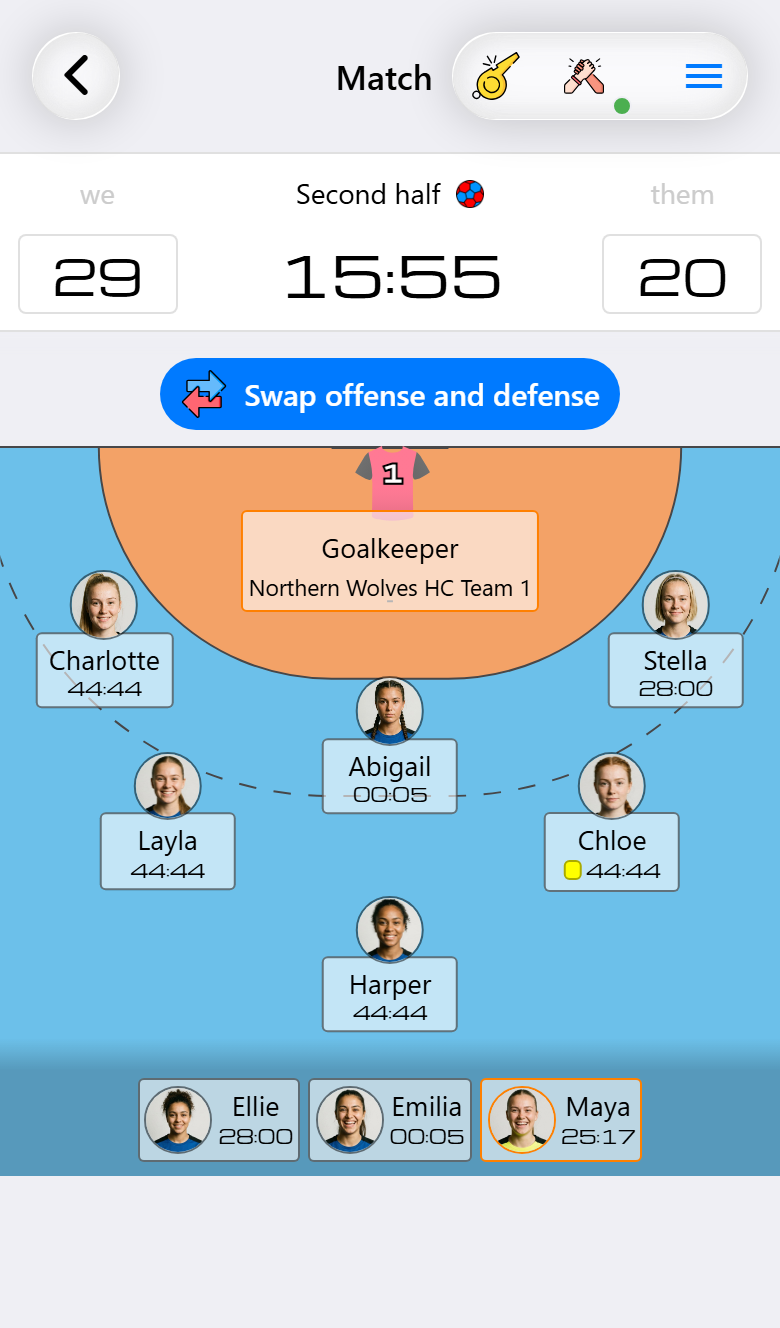
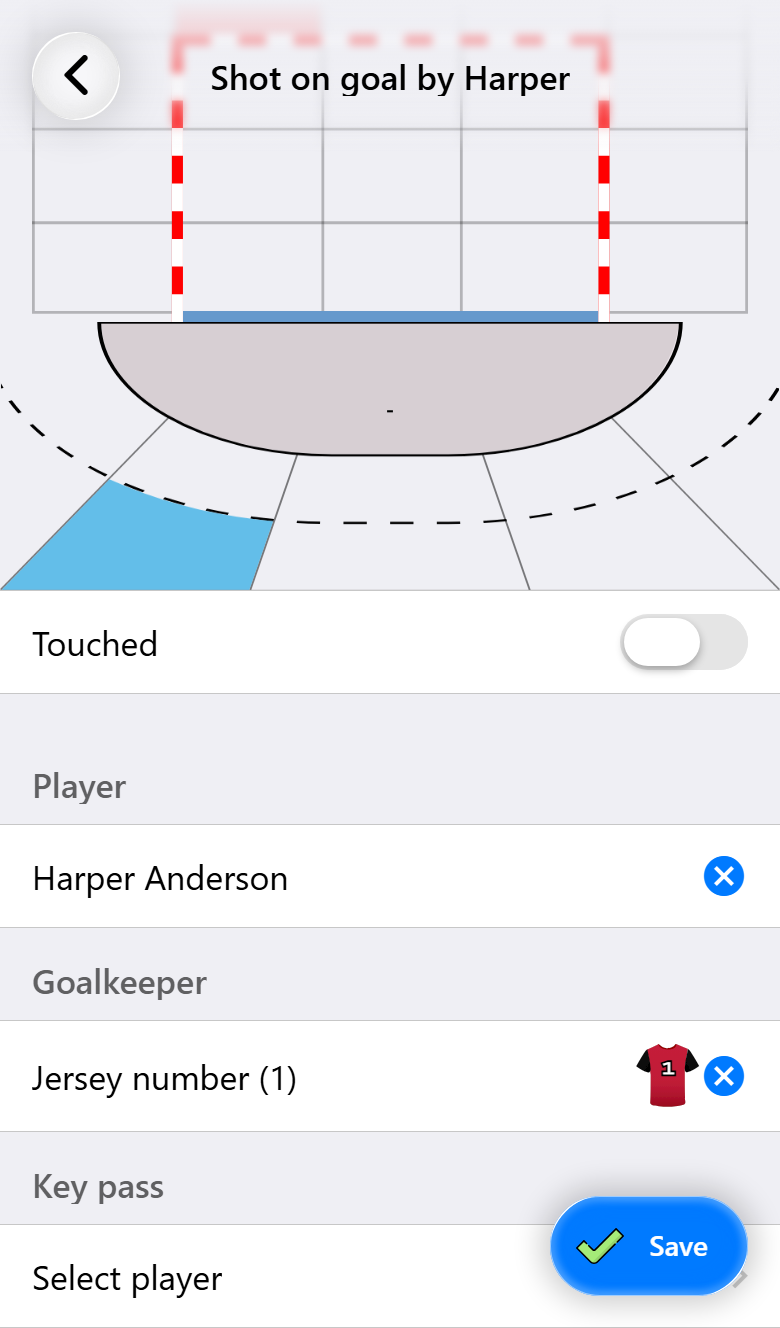
The full match screen, used the way one person would use it alone, minus everything the other two take care of. Tap the player who shot, choose the result, and save. Where in the goal and where from can be filled in straight away when play allows, and left to person 3 when it does not.
Their shots go through the opponent's score, or with Max through the opponent's court, where each shot lands on a jersey number. See The match screen.
Person 2: the substitutions
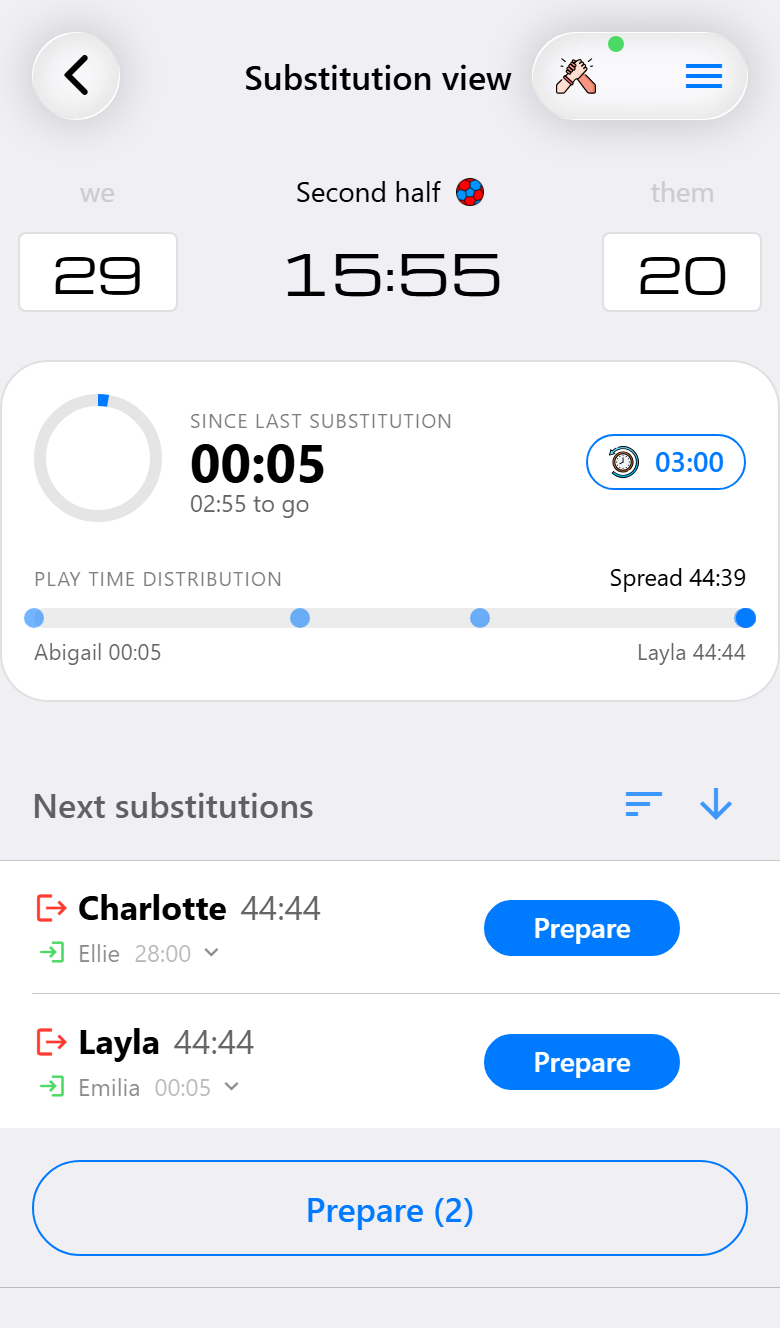
The substitution view shows the clock, the playing times and the suggested changes, and nothing to score with. How it works is on Substitutions.
In a crew, two things are worth knowing:
- Prepared substitutions show on every phone, on the action button at the bottom of the match screen. Person 1 sees what is coming without having to ask.
- A suspension for a player on the bench forces a substitution, and the question of which player on court has to leave is asked on the phone that records the suspension. That is person 3, so person 2 calls out the name.
Person 3: cards and the details
The third phone is the second pair of eyes. It picks the Review view (Pro), which keeps the clock and the score at the top and shows below them what the others have just recorded.
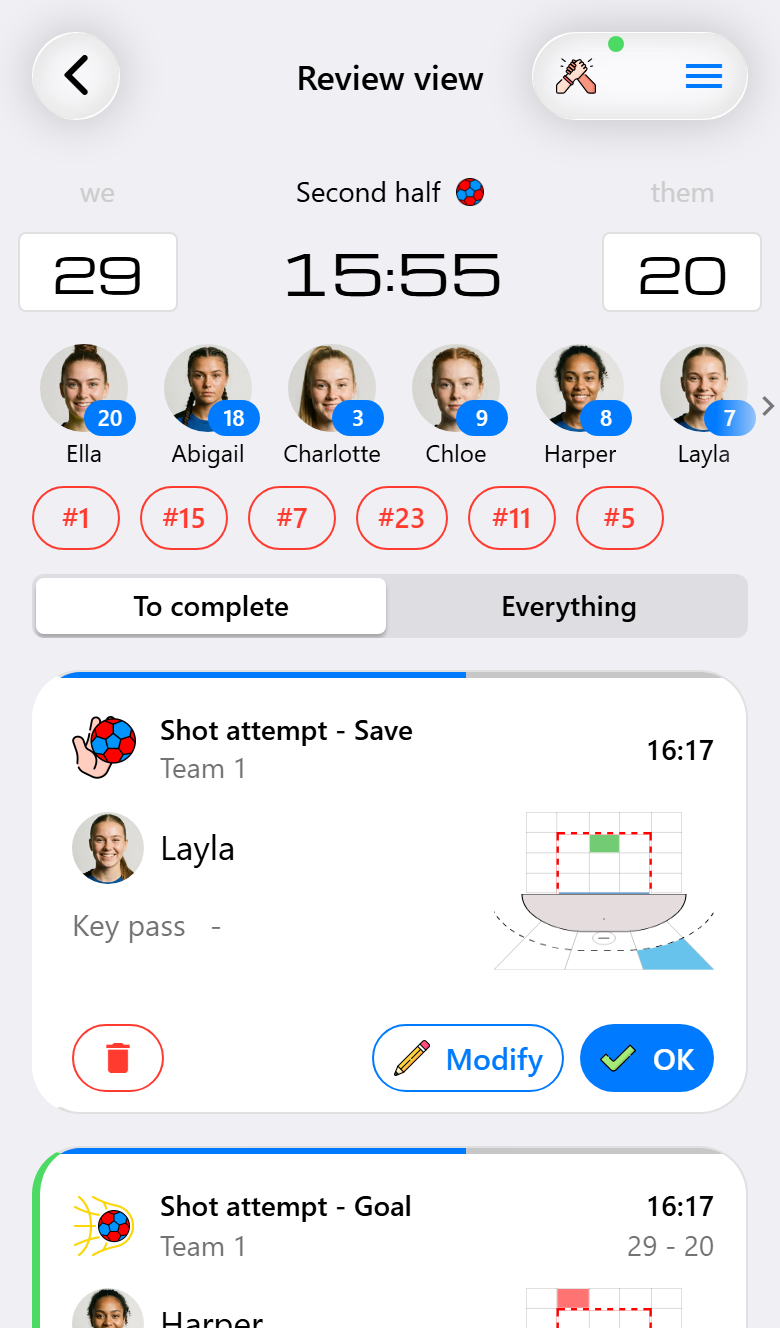
The review view
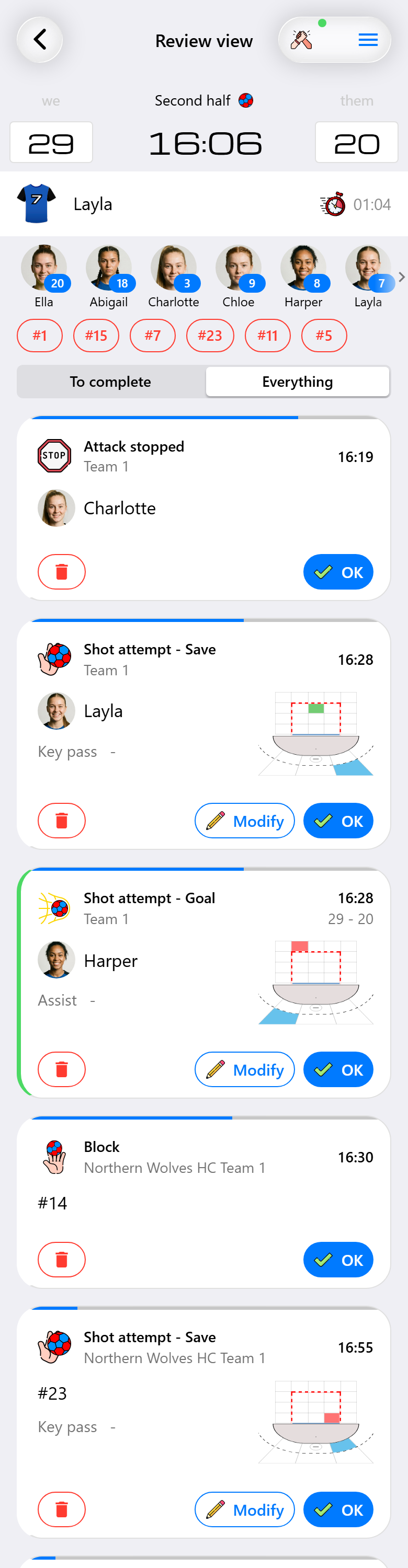
Every shot the others record appears as a card, the newest on top. A card shows the shot as it was recorded: the player, the time, the score after a goal, a small picture of where it came from and where it went in, and the assist on a goal or the key pass on a miss. Whatever is still empty shows a dash.
- OK when the shot is right. The card goes.
- Modify opens the shot screen, the same as on the timeline. Add what is missing and save. The completed shot goes to the other phones like anything else that is recorded.
- The trash can on the left deletes an event that should not be there, such as a goal on the wrong player or one recorded twice. It asks first, and an event the timeline would not let you delete has no trash can. The deletion goes to the other phones as well.
A card goes by itself after a minute of playing time. The bar along its top shows how much of that minute is left. It runs with the match clock, so it stands still during a time-out, at halftime and whenever the clock is stopped, which is when there is time to catch up. It also stands still while the card is being changed. Anything older is on the timeline, under Manage timeline in the menu. An opponent turnover gets a card too, to say which of your players forced it.
To complete or everything. Above the cards you choose what gets one. To complete shows the shots and opponent turnovers, the events with something to add. Everything also shows what else the others record for a player or a team, such as a card, a block or one of your own events, with only OK and the trash can. Switch to it and the events of the last minute get their card straight away. Substitutions and the clock never get a card. The choice is remembered on this phone.
Not every goal has an assist. A goal from a solo break or a rebound has nobody to name, and the field is meant to stay empty then: OK leaves it that way.
The view is there when the match records shot attempts, because what a card completes is the details of a shot.
Cards, suspensions and anything else. Between the score and the cards is a row with your players: the goalkeeper and the players on the court first, the bench after them. Tap one for the same actions as on the match screen. With the opponent's court on, a second row has their back numbers, and a team's score opens that team's events, such as a turnover or a time-out.
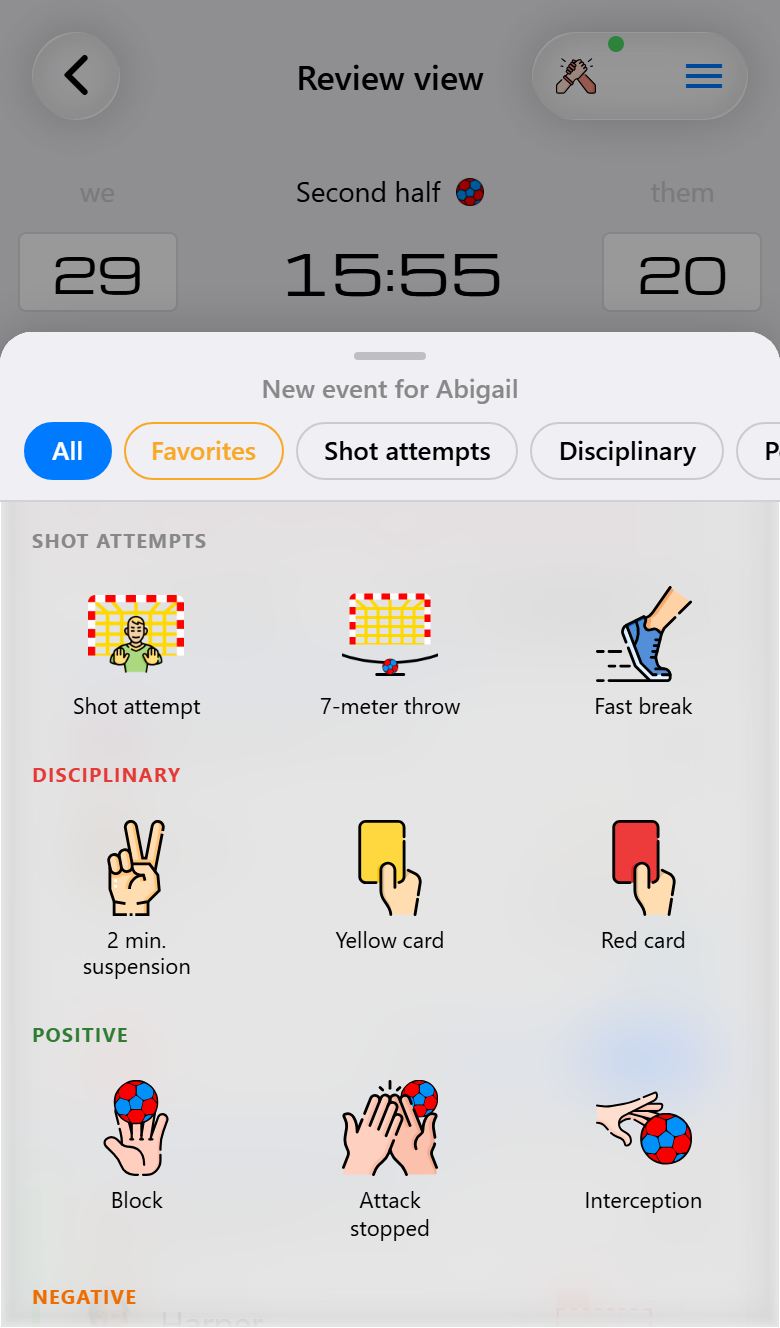
What you record here gets no card of its own, since you already know it. A suspension stops the clock on every phone, and person 1 starts it again.
When something goes wrong
Something was recorded twice. In the review view, delete it from its card with the trash can. Later on, tap Edit on the timeline and delete one of them. Anyone in the crew can, so the person who notices fixes it. See Reading your match back.
Something was missed. Tap + on the timeline (Max) next to the row it happened after and pick the team, the event and the player. It lands in the right place and goes to the other phones. See Reading your match back.
A phone drops out. The match runs on the server and carries on without it. The other two take over its job until it is back: one keeps the match screen and also gives the cards, the other keeps the substitutions. The details of the shots can wait until halftime or after the final whistle.
Only two of you. The same split as a phone dropping out. One person records the shots and the cards on the match screen, the other does the substitutions and completes the shots in quiet moments.
No reception in the hall. What is recorded is kept on the phone and sent as soon as there is a connection again, in the right place on the timeline.
What you need for what
| Base | Pro | Max | |
|---|---|---|---|
| Joining a match someone shared with you | ✓ | ✓ | ✓ |
| Sharing a match to record it with a crew | ✓ | ✓ | |
| The substitution view | ✓ | ✓ | |
| The review view | ✓ | ✓ | |
| Completing a shot from the timeline | ✓ | ✓ | |
| Inserting a missed event from the timeline | ✓ | ||
| Assist and key pass | ✓ | ✓ | |
| Cards and suspensions for the opponent | ✓ | ✓ | |
| The opponent's court, with jersey numbers | ✓ |
Only the administrator's team needs the subscription. The other two use the features of that team while they record its match, whatever their own phones are on.