
During the match
The penalty shootout
Available on every plan
Most seasons go by without one. Then a cup match ends level, the referees point at the 7-meter line, and there is a minute to find your way around a screen you have never seen. This page walks you through it before that moment comes.
The shootout has a screen of its own, because it works nothing like the match itself: no clock, no court and no substitutions, only two teams taking turns from the 7-meter line. It works on every subscription.
Starting a shootout
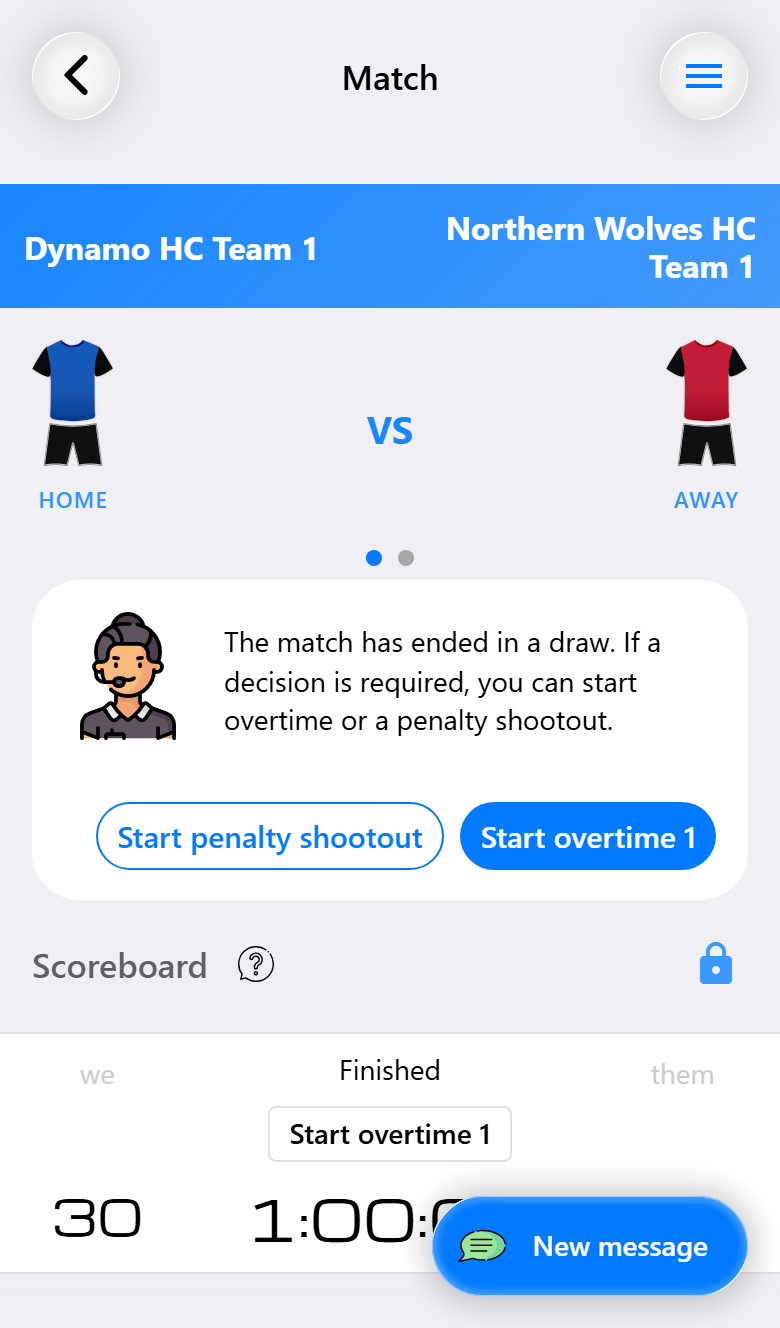
A shootout starts after the final whistle. When a match ends level, the match screen says so and offers both ways to decide it: Start penalty shootout and Start overtime 1. When you play overtime first and that ends level as well, the match screen offers the shootout next.
The same button is under Match decision in Match actions. There it is also offered after a match that did not end level, for a cup tie over two matches where the second one is won but the two together are still level.
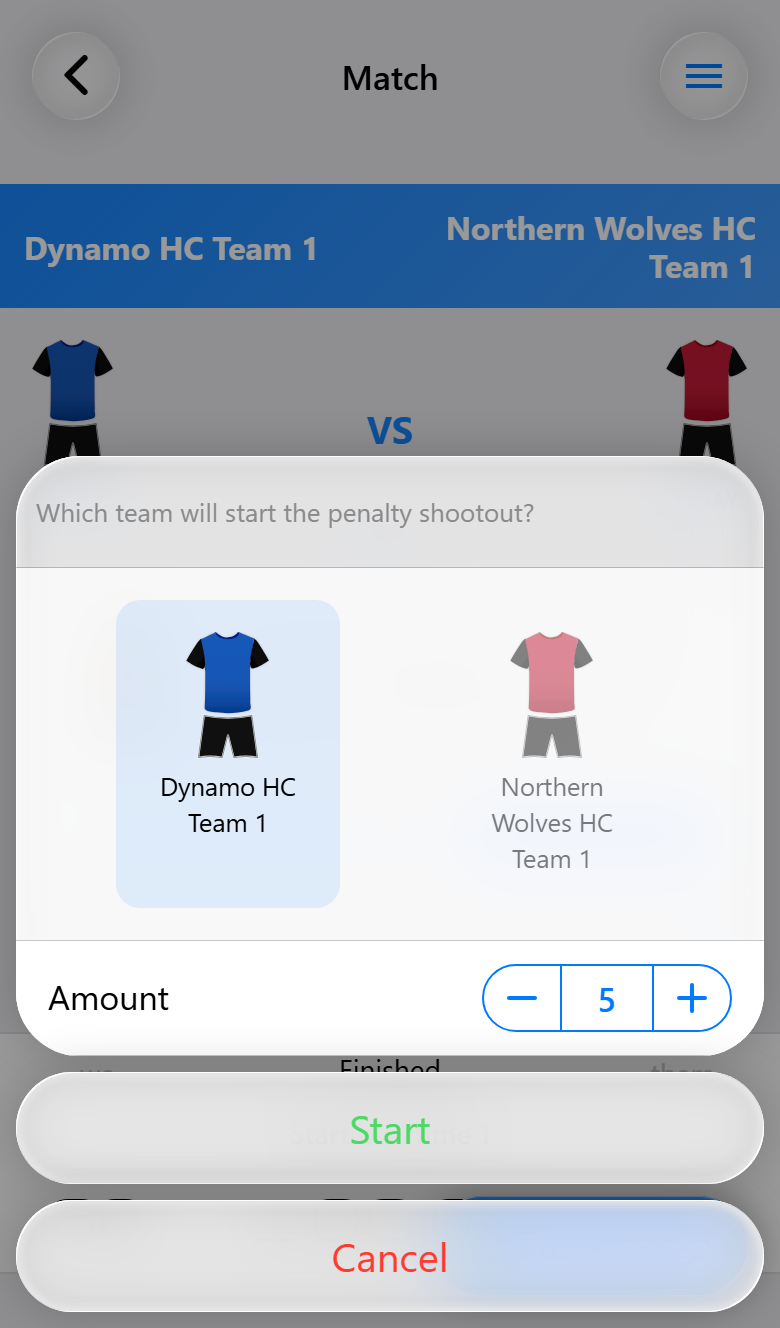
Before the first throw two things are asked:
- Which team will start the penalty shootout? Tap the shirt of the team that throws first. Start stays grayed out until a team is chosen.
- Amount is how many throws each team takes: five unless you change it, and at most ten.
Tap Start to open the penalty shootout screen. The score of the match stays as it was at the final whistle, because the throws of a shootout do not count towards it.
Recording a throw
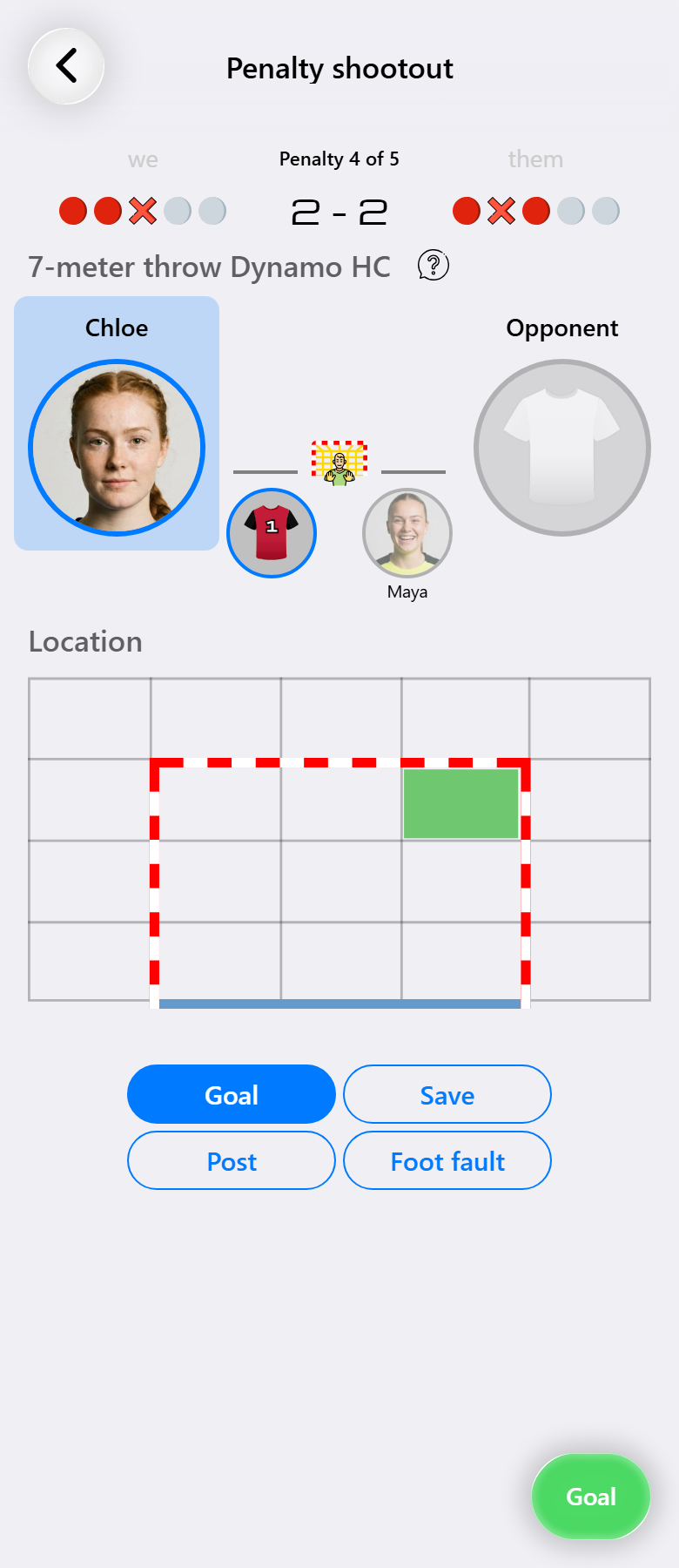
The screen reads from top to bottom, in the order a throw happens.
The score of the shootout is at the top, with a row of circles for each team: one per throw, a red circle for a goal, a cross for a throw that did not go in and grey for the throws still to come. Above the score is which throw is being taken, such as Penalty 4 of 5.
Whose turn it is follows under the score: the heading names the team and its half of the screen is highlighted. The teams take turns, so after every throw the turn passes to the other team by itself.
The taker and the goalkeeper. The large circle is who takes the throw, the small one beside it the goalkeeper they face. For a throw of your team, tap the large circle to choose the player. For a throw of the opponent, tap the shirt to fill in their number. The goalkeepers are filled in for you: yours is whoever was in goal at the final whistle, theirs is the number your last shot of the match was taken against. Tap one to change it when a team brings on another goalkeeper for the shootout. A goalkeeper stays until you change it, while the taker is cleared after every throw.
Location is where in the goal the throw went. A box inside the goal makes it a goal straight away, a box outside the goal a miss. You can also leave it empty.
How it ended is one of Goal, Save, Post or Foot fault. Goal is selected when the screen opens. Tap the selected one again and the throw counts as missed.
The round button at the bottom right records the throw. It shows the result you are about to record, and its color shows what that means for your team: green for a goal of yours or a throw of theirs that did not go in, red the other way around.
Who takes the throw
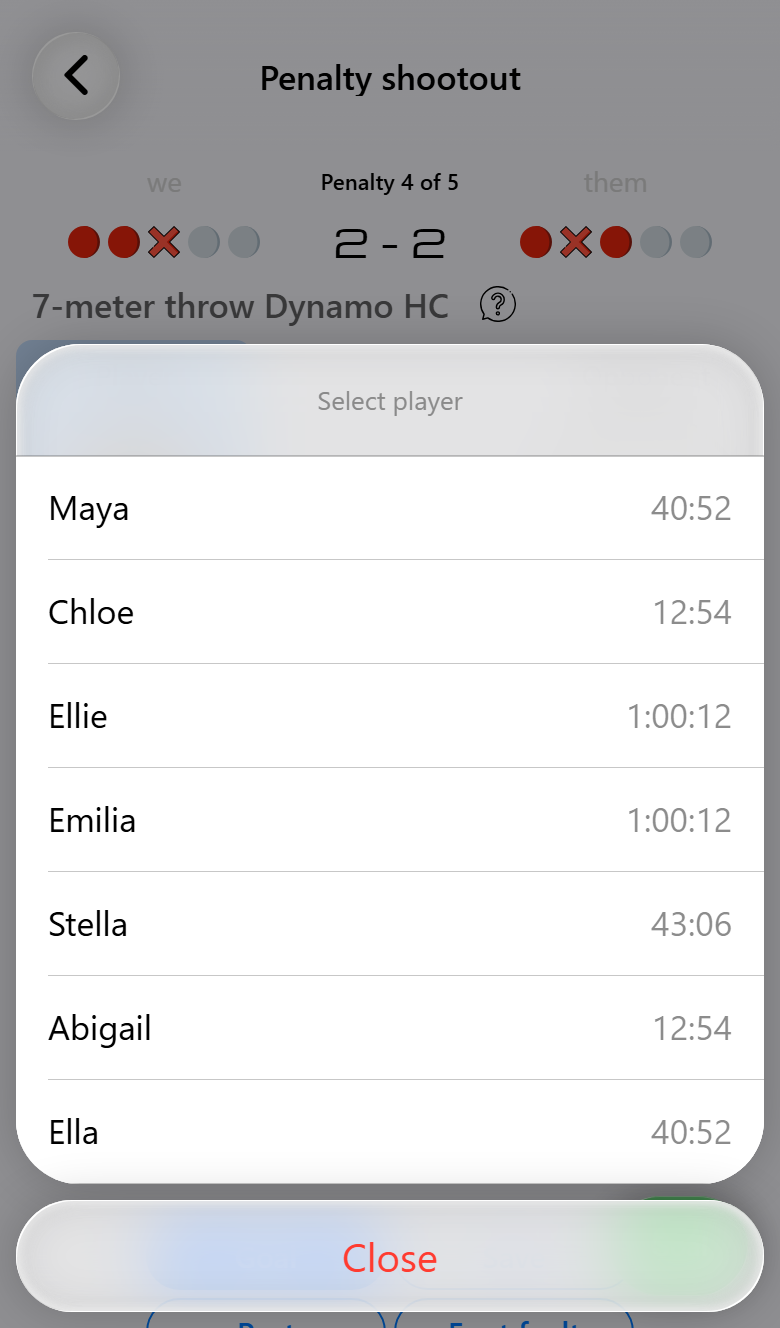
The list holds the players who have not taken a throw in this shootout yet, each with their playing time in the match, so a player who has already thrown cannot be chosen again by accident. Your goalkeepers are on it too, because a goalkeeper may take a throw like anyone else.
When the shootout is decided
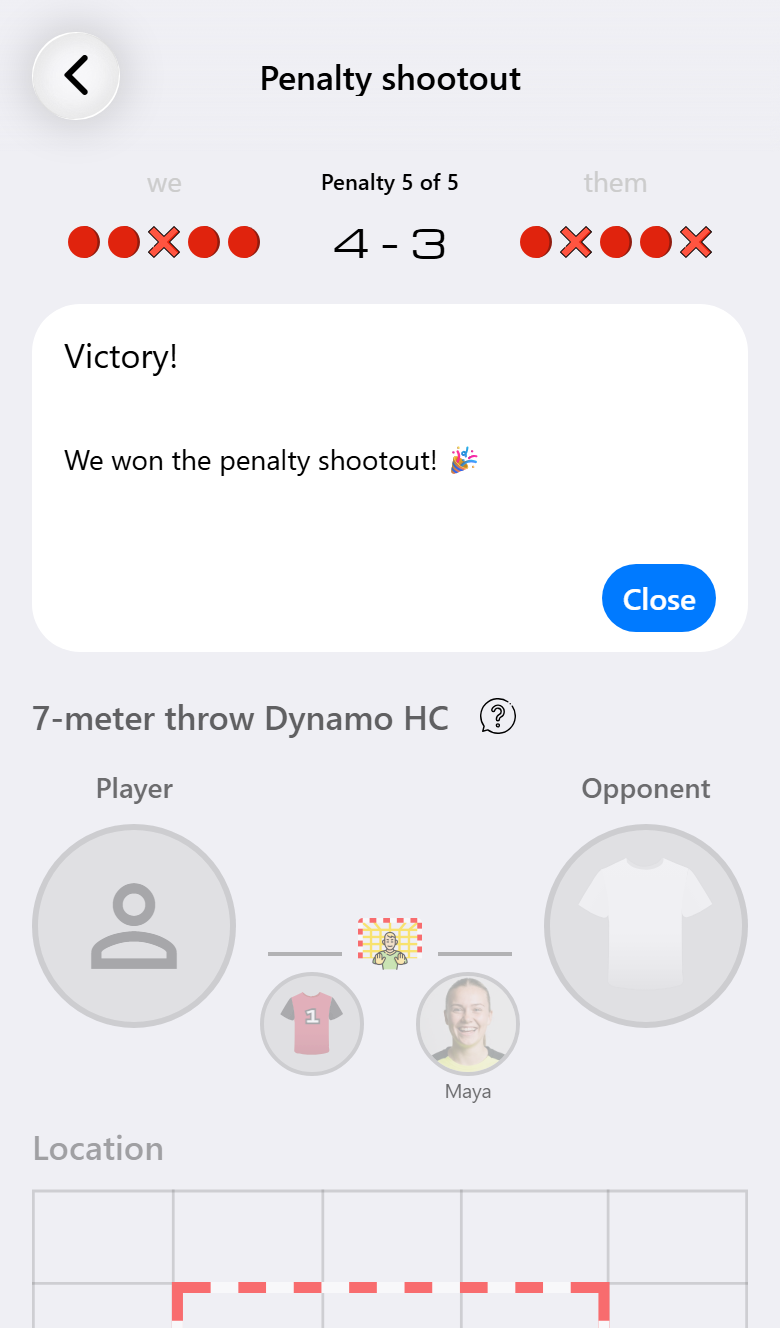
You do not have to end a shootout yourself. As soon as one team can no longer catch up, it is over. That can be after the last throw, but also earlier: at 3-0 after three throws each in a series of five, the team that is behind cannot draw level any more. The screen then says Victory! or Defeat! and the match is finished. Tap Close to go back to the match.

The scoreboard keeps the score of the final whistle, with a circle for every throw under it and the result of the shootout below. The status reads Finished (after penalties).
The throws of a shootout do not count towards the score of the match, and they are left out of the performance scores of the players.
The live scoreboard follows the shootout too. While it runs, the score of the shootout and every throw take the place of the clock, and afterwards its result stays next to the score of the match.
When it ends level
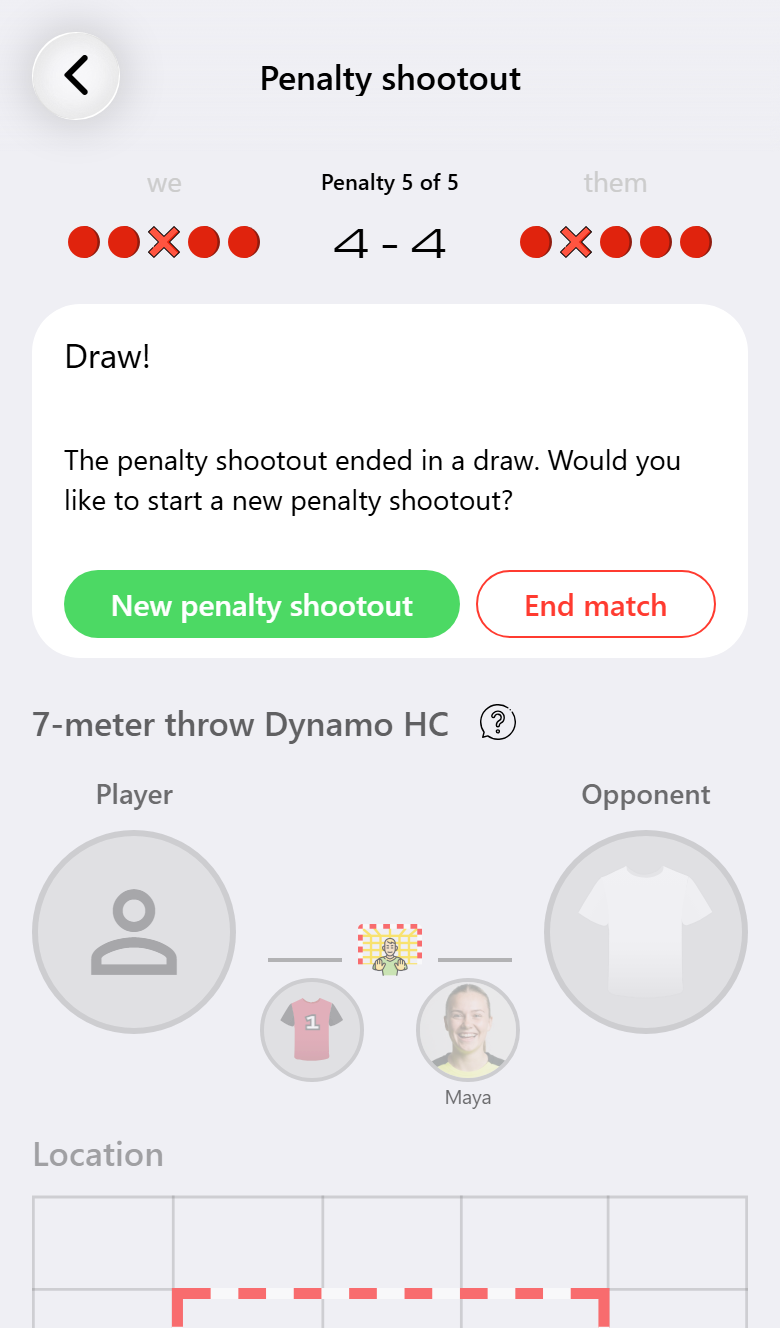
When every throw has been taken and the score is still level, the shootout does not end by itself, because what comes next depends on the competition. The screen offers both options:
- New penalty shootout starts another series.
- End match ends the match as it stands, after asking whether you are sure.
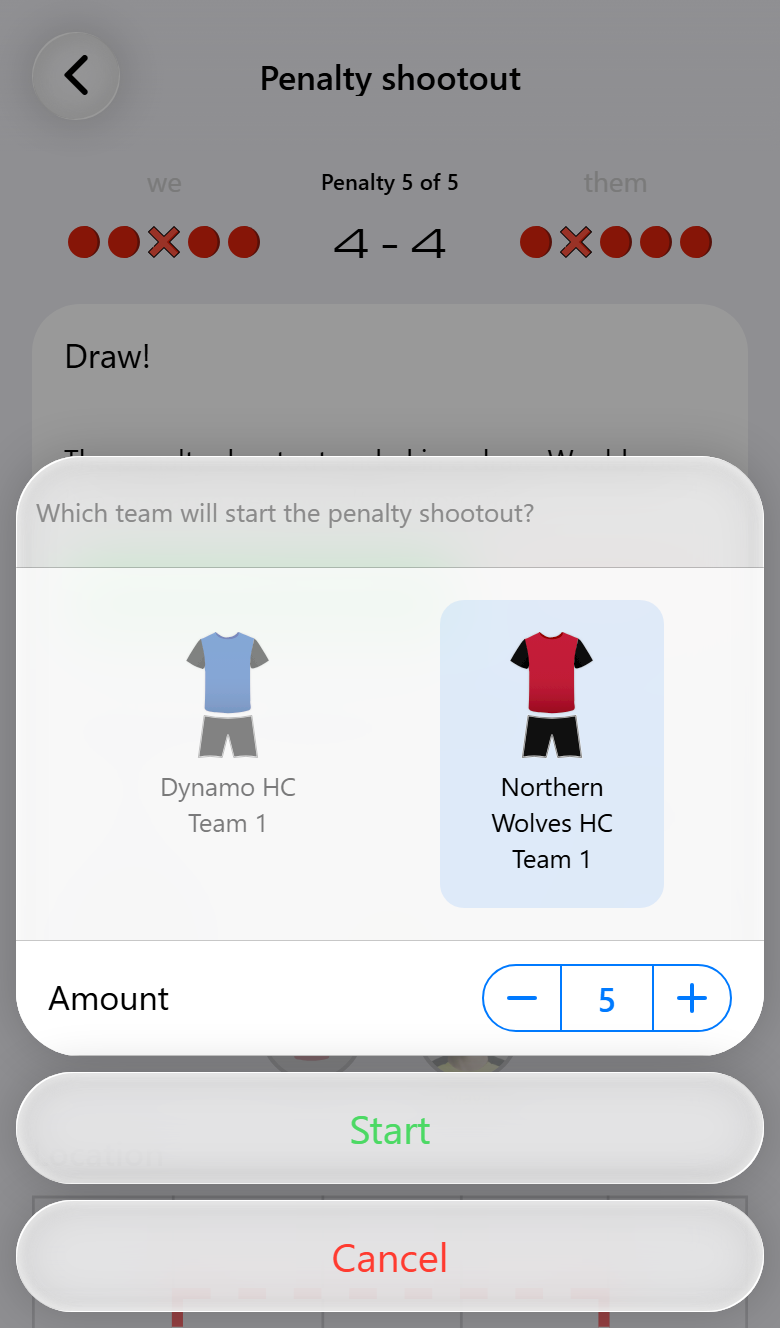
A new shootout starts with the same number of throws and with the other team throwing first. Both can be changed before you tap Start. Every player can take a throw again, and the screen starts counting from 0-0. Once the match is decided, the scoreboard adds every series up: 4-4 followed by 1-0 is won 5-4, with a circle for each of the throws.
Leaving the screen in between
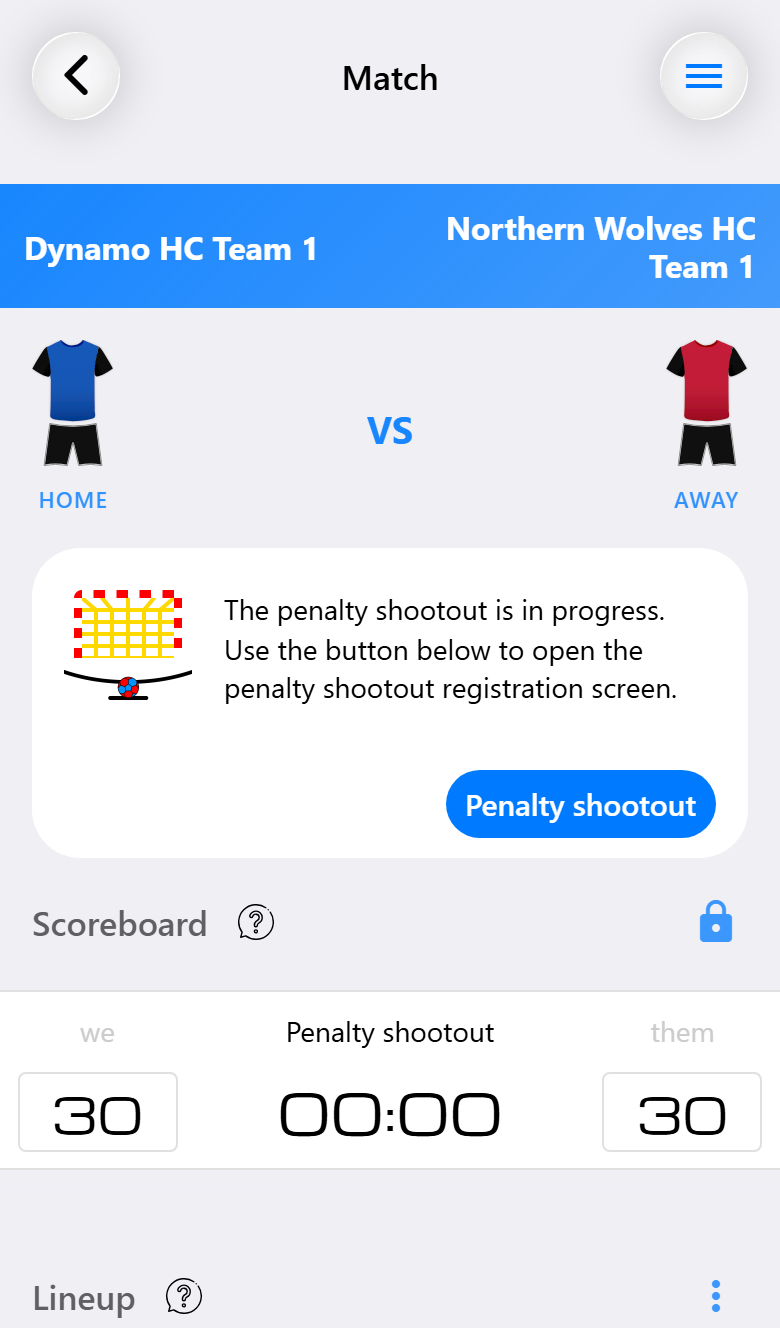
You can go back to the match screen at any time, and the shootout waits for you. The match screen then shows that a shootout is going on, with a Penalty shootout button that takes you back to the throw you were at. The same button is under Match decision in Match actions.
What you had filled in for a throw that was not recorded yet is not kept, so record a throw before you leave the screen.