
Sharing and watching
Live scoreboard
Available on every plan
Not everyone who cares about a match can be in the hall. The live scoreboard is a web page that follows the match while you record it: the score, the clock, every goal and substitution as it happens. You share one link, and parents, teammates at home or the other half of the club open it in any browser. They need no app and no account.
It comes with every subscription. What it shows grows with what you record: with shot attempts registered, every shot can be opened to see where it came from.
Switching it on
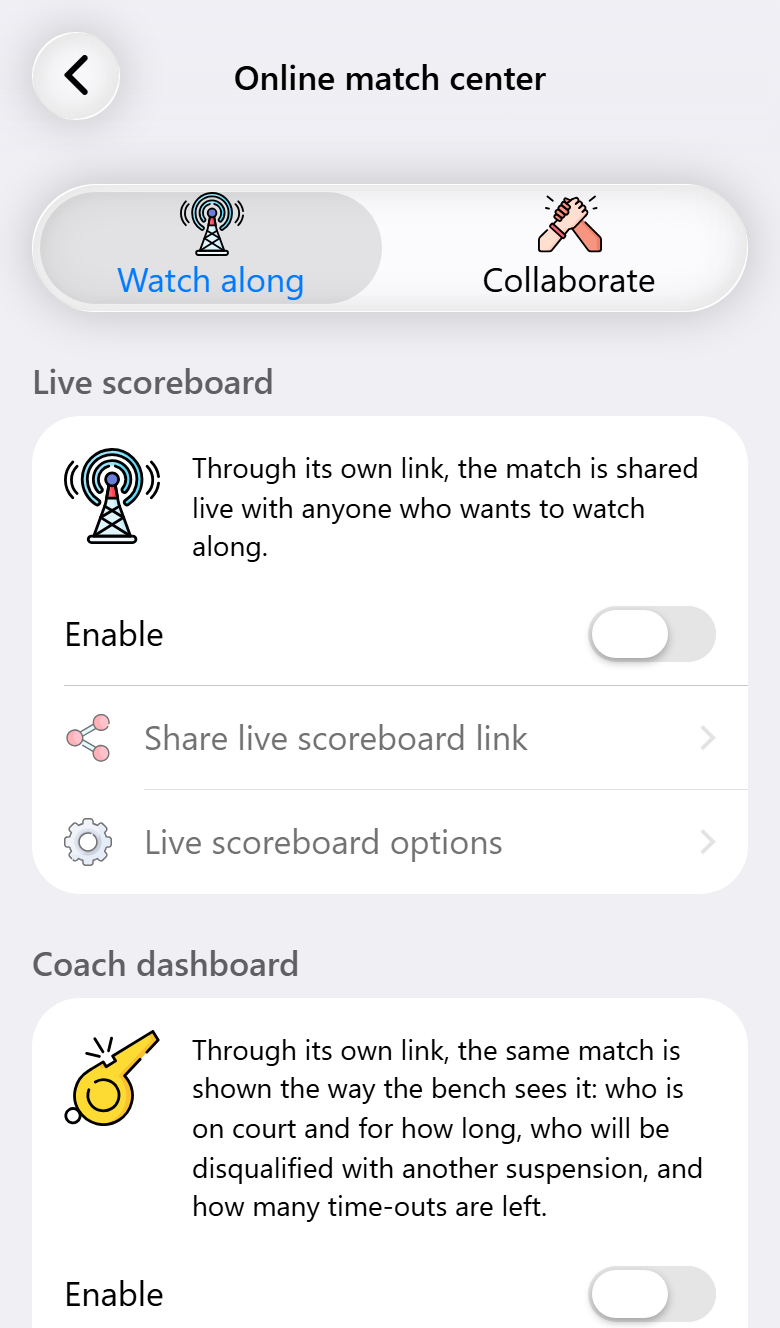
Open the match, then the online match center. On the Watch along tab, the live scoreboard is the first card:
- Switch on Enable.
- Tap Share live scoreboard link and send it wherever your supporters are: the team's group chat, the club's website, social media.
When the link is shared in a chat app, it shows a preview with both kits, so people see which match it is before they open it.
The match is published from the phone you record on, so that phone needs an internet connection. When a viewer's own connection drops, their scoreboard says it cannot retrieve data, rather than quietly showing a score that has stopped moving.
Under the link, Live scoreboard options lets you choose what viewers see of your players:
- Show profile pictures, for teams with player photos (Pro).
- Show play times. Switch it off and viewers see no substitutions and no playing times. Some teams prefer that for youth players.
Under the card you see how many people are watching right now, and the most there have been at once.
What viewers see
Before the throw-off, the link shows the next match: both kits, the day and the time, and the venue, which opens in a map. A countdown runs to the throw-off, and once that moment has passed the page says the match is about to start. The page switches to the scoreboard by itself the moment you start the match, so someone who opened the link early does not have to refresh.
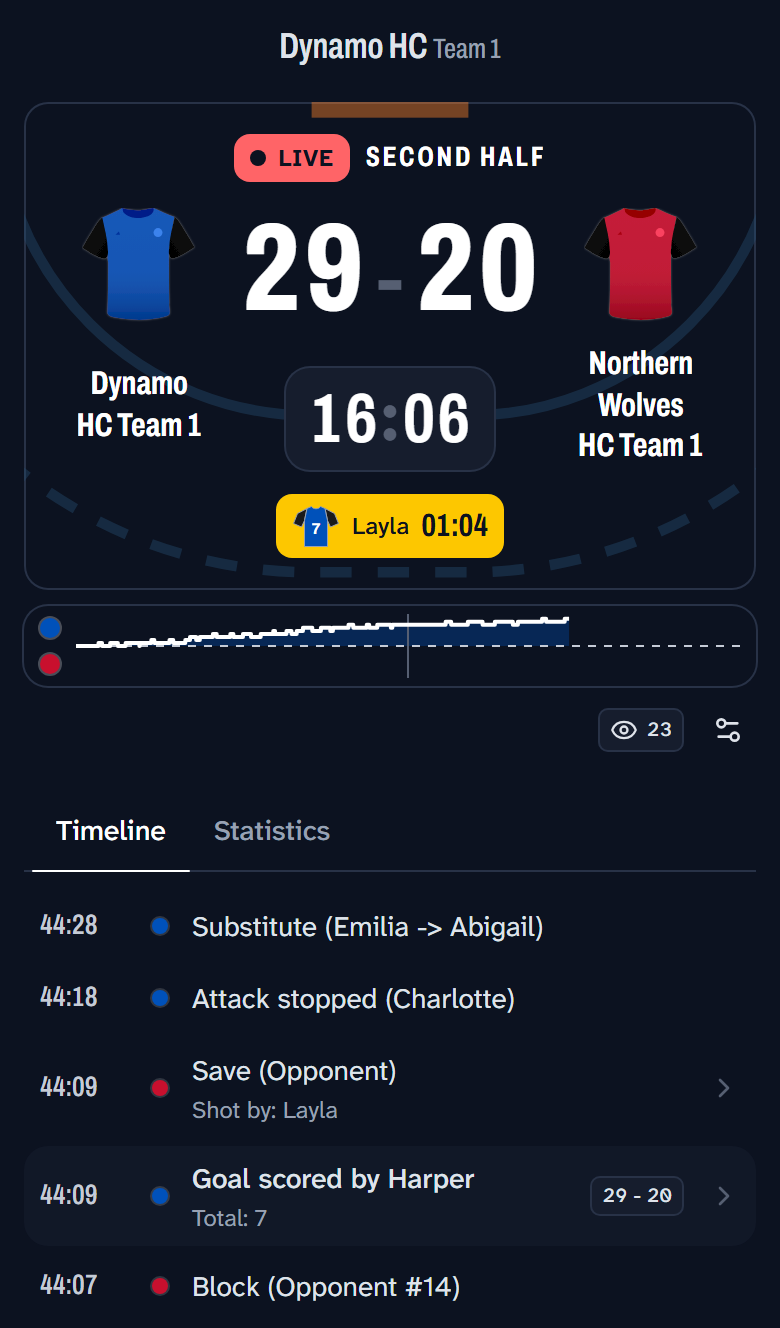
During the match the scoreboard shows the score, the clock and the period, and every suspension that is running, with the jersey number and the time left. Under it are two tabs.
Timeline lists everything as it happens, newest on top: goals with the score at that moment, saves, substitutions, cards, time-outs. A message you type in the app appears here as you wrote it. Notes you make on a match never do.
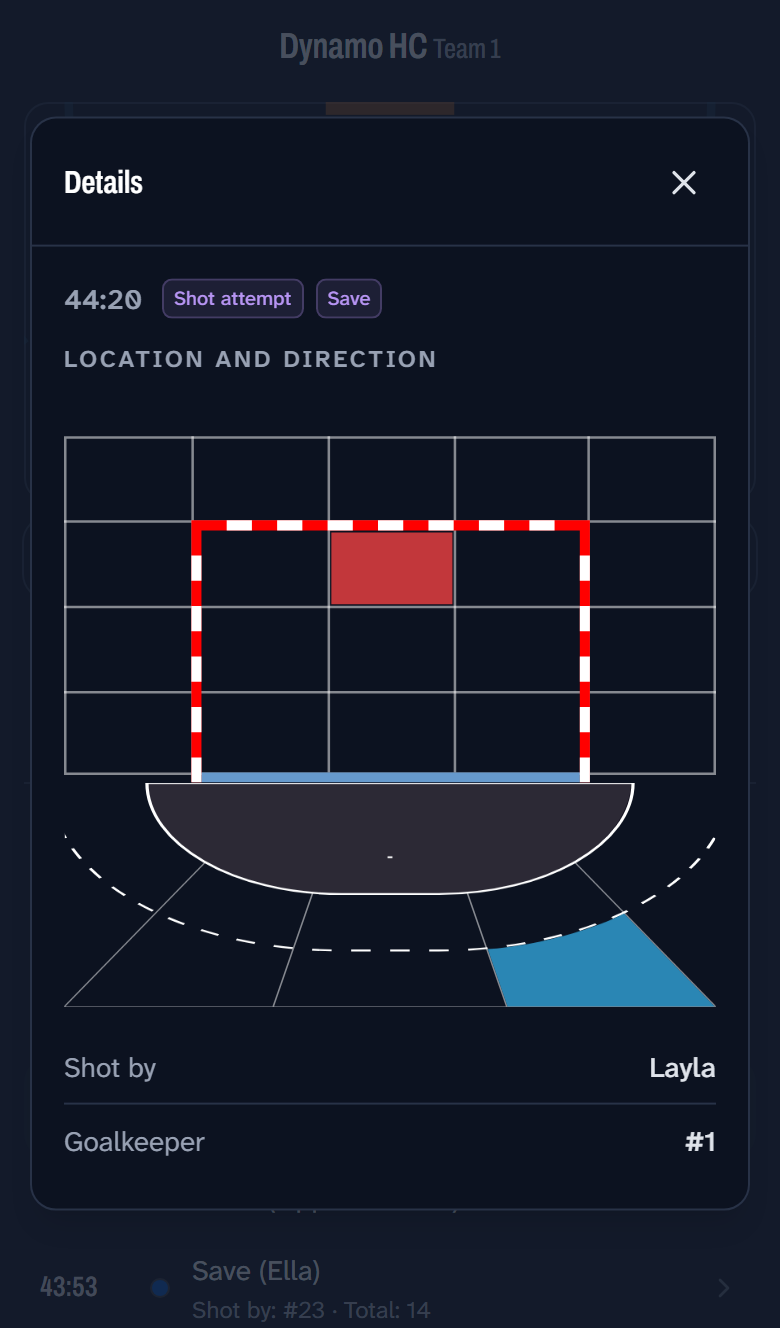
When you record shot attempts (Pro), a shot in the timeline can be opened. It shows where on the court it was taken from and where it went in the goal, who took it and which goalkeeper faced it.
With Max, the timeline also carries a short summary of how the match is going, written by AI every five minutes and at the end of each period.
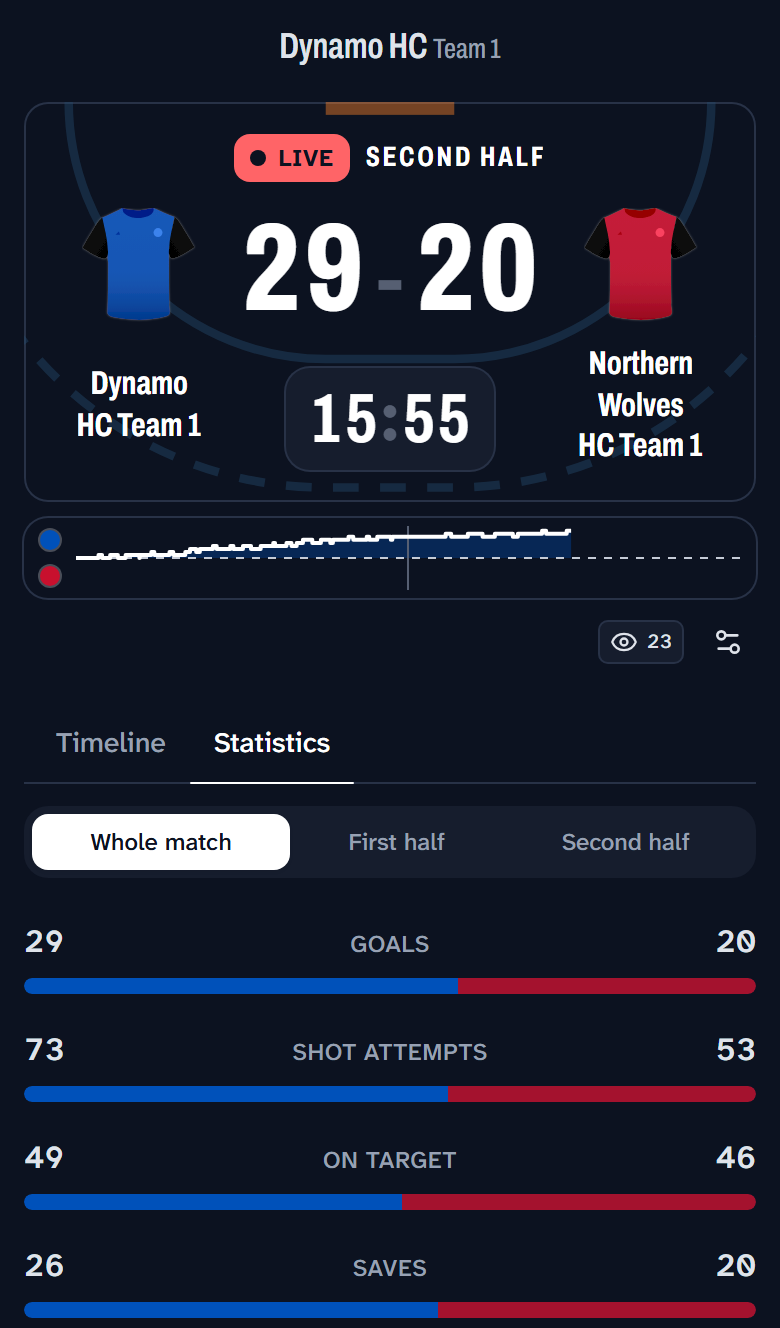
Statistics puts both teams side by side on goals, shot attempts, shots on target, saves, cards and suspensions, with a bar for each that shows at a glance which way the match is going. The buttons on top narrow it to one period. Below it is every player of your team, with goals, shot attempts, assists, saves, suspensions and playing time.
On a bigger screen
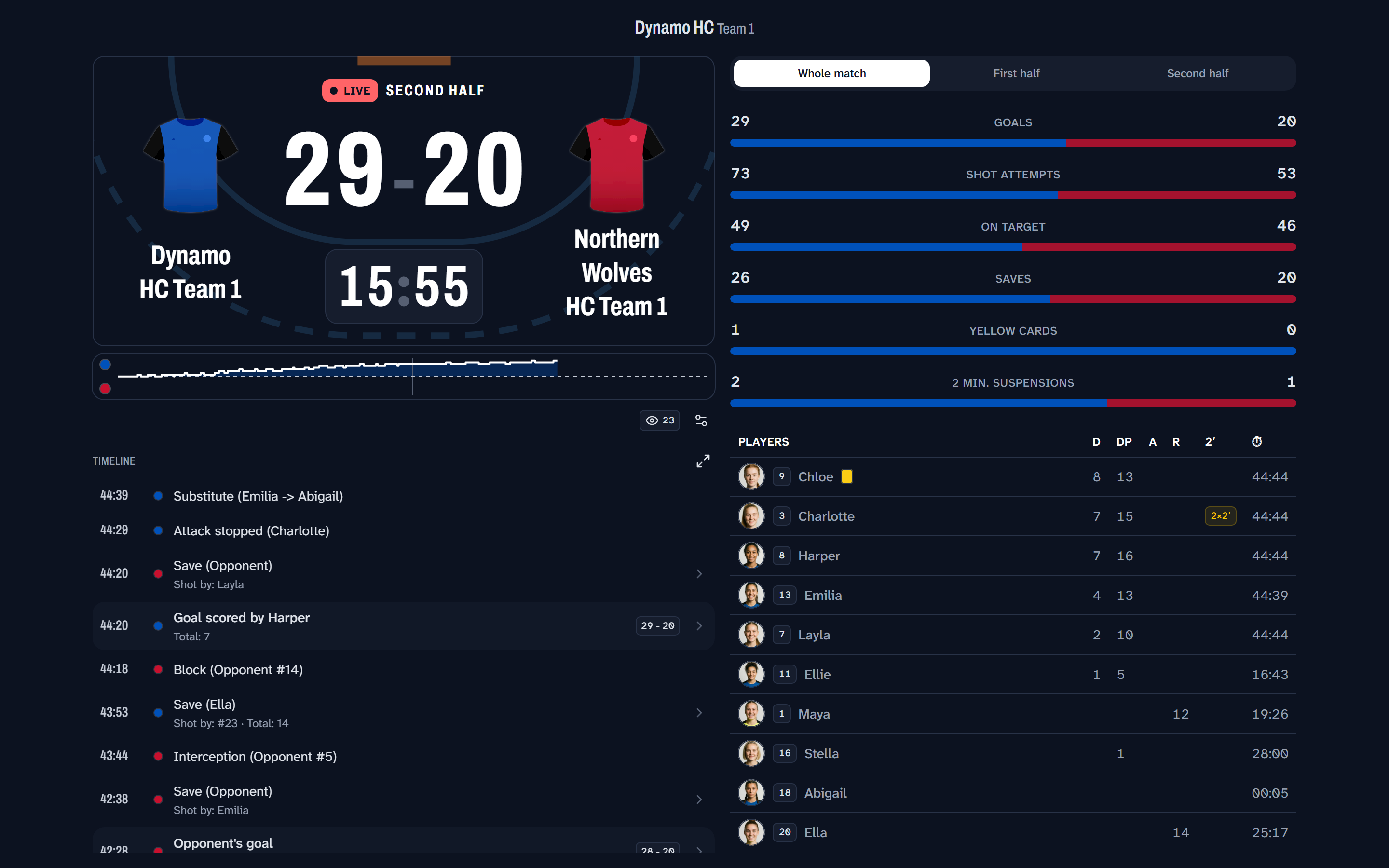
On a wide screen the scoreboard shows everything at once: the score with the timeline under it, and the statistics beside them. The button above the timeline enlarges it over the whole page, for reading further back.
On a phone or a tablet, turning the screen on its side rearranges the page without reloading it. The connection stays up and the open tab stays open. As long as the match is being played, the viewer's screen stays on.
Settings for each viewer
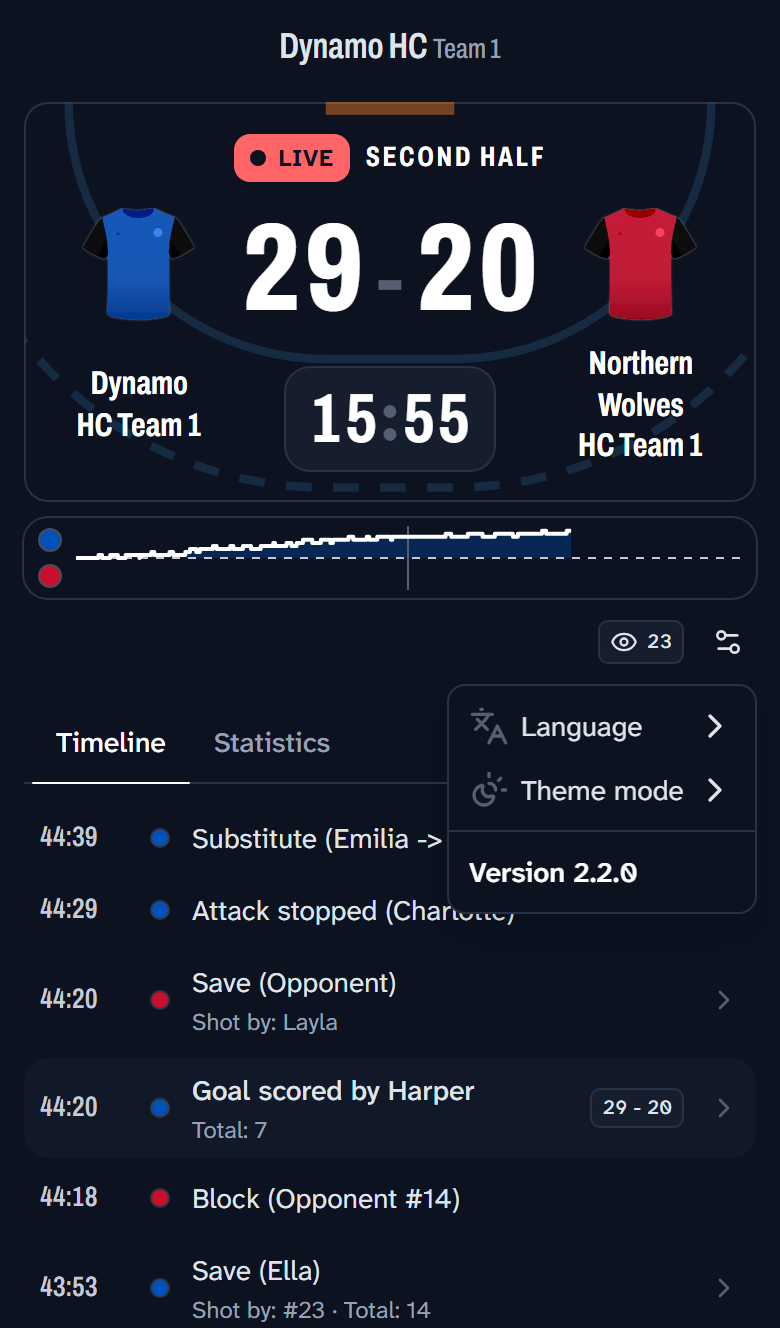
Every viewer can set the scoreboard the way they like it, without it changing for anyone else. With the settings button next to the viewer count, they choose the language, light or dark mode, the accent and background colors, or one of the presets. The version of the scoreboard is at the bottom of the same menu, which helps when you report a problem.
One link for the whole season
With Max, a team also has a permanent scoreboard link. Pin it in the team's group chat once and it shows whichever match of the team is live, or the next one, every week. When there is no match, it says so, and switches to the match by itself when one starts.
You find it in the team's settings under Live scoreboard link, with Share link and Copy link. It needs an account, because the link belongs to the team rather than to one device.
For the bench, there is a separate screen with its own link: see Coach dashboard.
What you need for what
| Base | Pro | Max | |
|---|---|---|---|
| The live scoreboard, with timeline and statistics | ✓ | ✓ | ✓ |
| Viewer count, viewer settings, link preview | ✓ | ✓ | ✓ |
| Player photos on the scoreboard | ✓ | ✓ | |
| Opening a shot to see where it came from and went | ✓ | ✓ | |
| AI summary in the timeline | ✓ | ||
| A permanent scoreboard link for the team | ✓ |