
Getting started
What it costs and what you get
Available on every plan
Handballmaestro is free to start with. Base records a match properly: goals, cards, 7-meters, substitutions and a report afterwards. Pro and Max add what you need to learn from a whole season, and ways to record a match with more than one person.
A subscription belongs to a team, not to you. One team can be on Max while another stays on Base, and everyone who manages a team together shares its subscription.
Base, Pro and Max
Base is free and stays free.
- Recording a match: goals, cards and 7-meter throws, on the court with substitutions.
- The live scoreboard for anyone who wants to watch along.
- The match report with the key statistics.
- Five matches, for one team. Teams on Pro or Max do not count towards that, so a youth team can stay on Base next to a first team on Max.
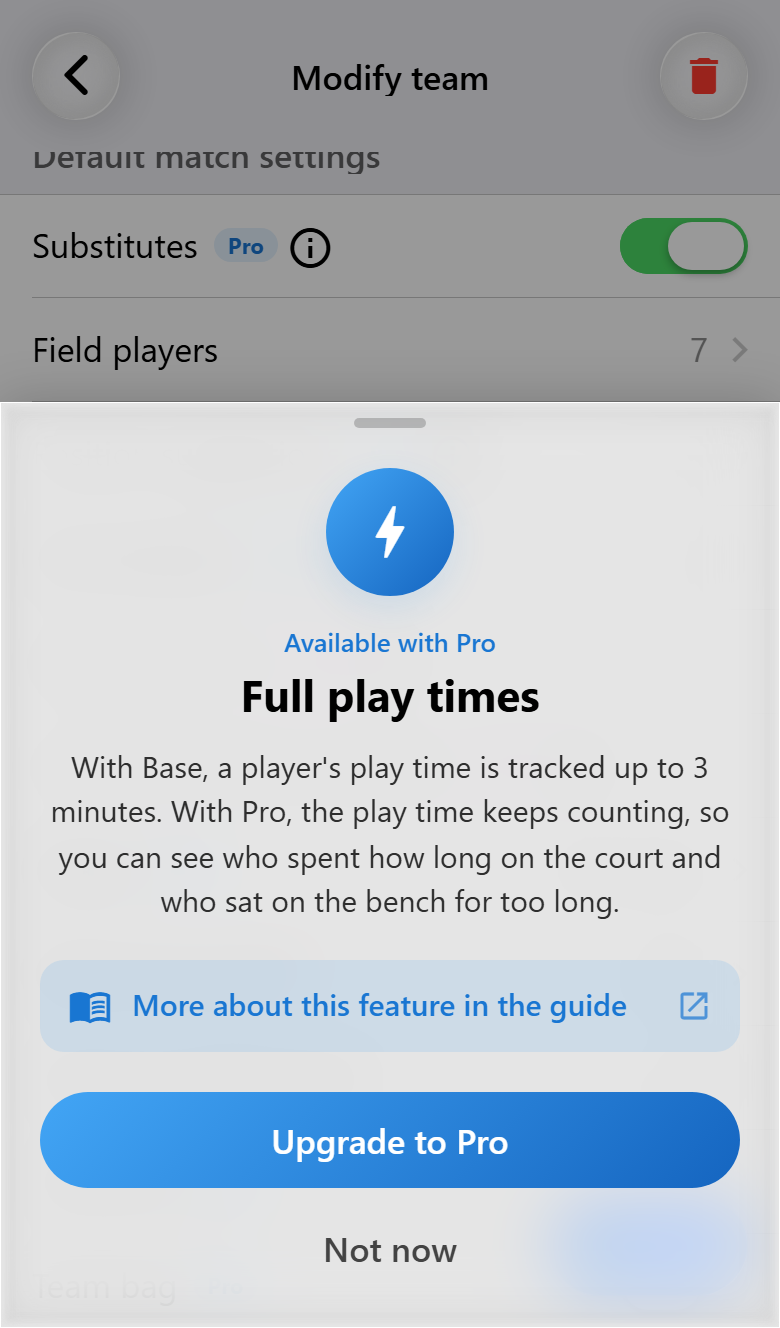
- Playing time is shown up to three minutes on court and one minute on the bench; after that you only see that it has been longer.
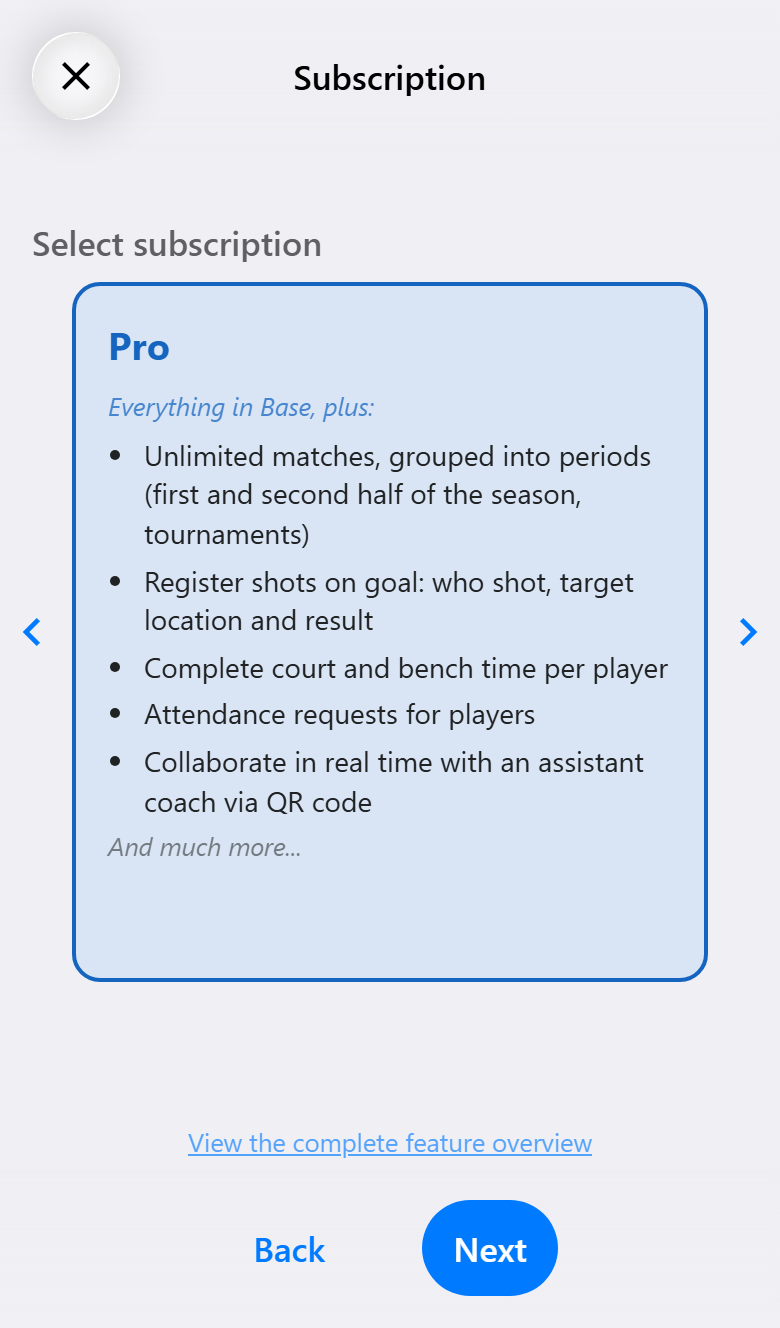
Pro is for following a team through a whole season.
- As many matches as you like, grouped in periods, for as many teams as you like.
- Shot attempts: who shot, from where, where it went and how it ended.
- Full playing time on court and on the bench, for every player.
- Match notes, and the opponents you keep track of, with everything noted about them.
- Recording a match together, attendance requests, sharing a team, the team bag, a PDF report, team performance and the Excel export.
Max is for analyzing every action.
- Everything in Pro.
- Turnovers, interceptions, blocks and fast breaks.
- The opponent's court, with their jersey numbers per position.
- The online statistics environment, the coach dashboard and the live report the AI writes for the scoreboard.
Which one you need follows from how much you want to record. A coach who keeps the goals and shares them live has everything on Base. Every shot of both teams is Pro; the actions between the shots and the statistics website are Max. The five steps from one to the other are on Choosing how much to record.
Every page of this guide ends with a table of what needs which tier. The complete list, feature by feature, is in the feature guide on the website.
Buying a subscription
Open Subscriptions from the settings panel, behind the round picture at the top right of the home screen, and tap Buy subscription. The team screen has the same way in, next to the team's current tier. You need an account for it, because the subscription is kept with your account.
The wizard asks three things: the tier, how long, and, at the end, how to pay.
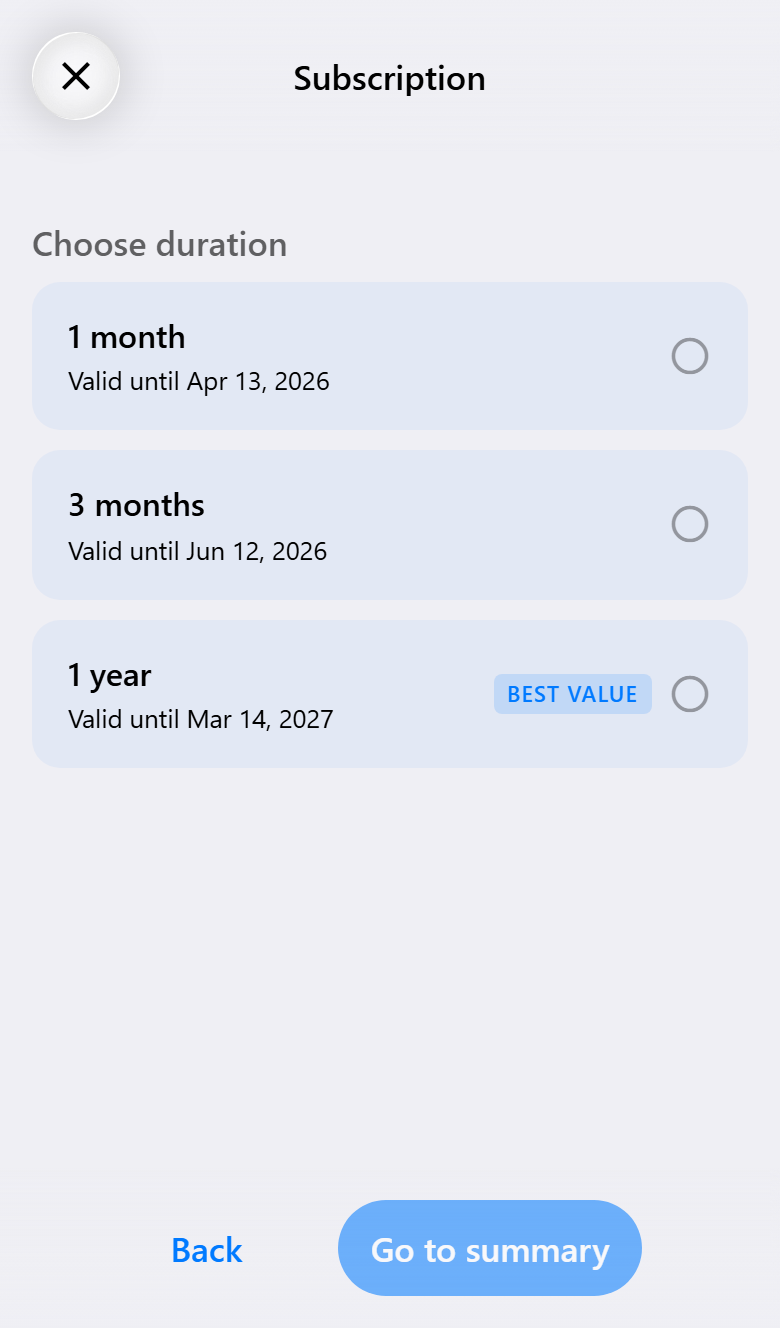
You buy a month, three months or a year at a time. There is no subscription that renews by itself: when the period ends, you choose whether to buy another one. The app shows the price for your country before you pay; a year is the cheapest per month.
How you pay depends on where you use the app. On an iPhone or Android phone it can be the App Store or Google Play; on the web, and where the store allows it, it is a secure online payment. After paying you get an email with what you bought.
Tokens
Everything you buy is a token. Bought for a team, it is redeemed straight away and you never see it. Bought without a team, or for someone else, it waits in your account until it is redeemed.
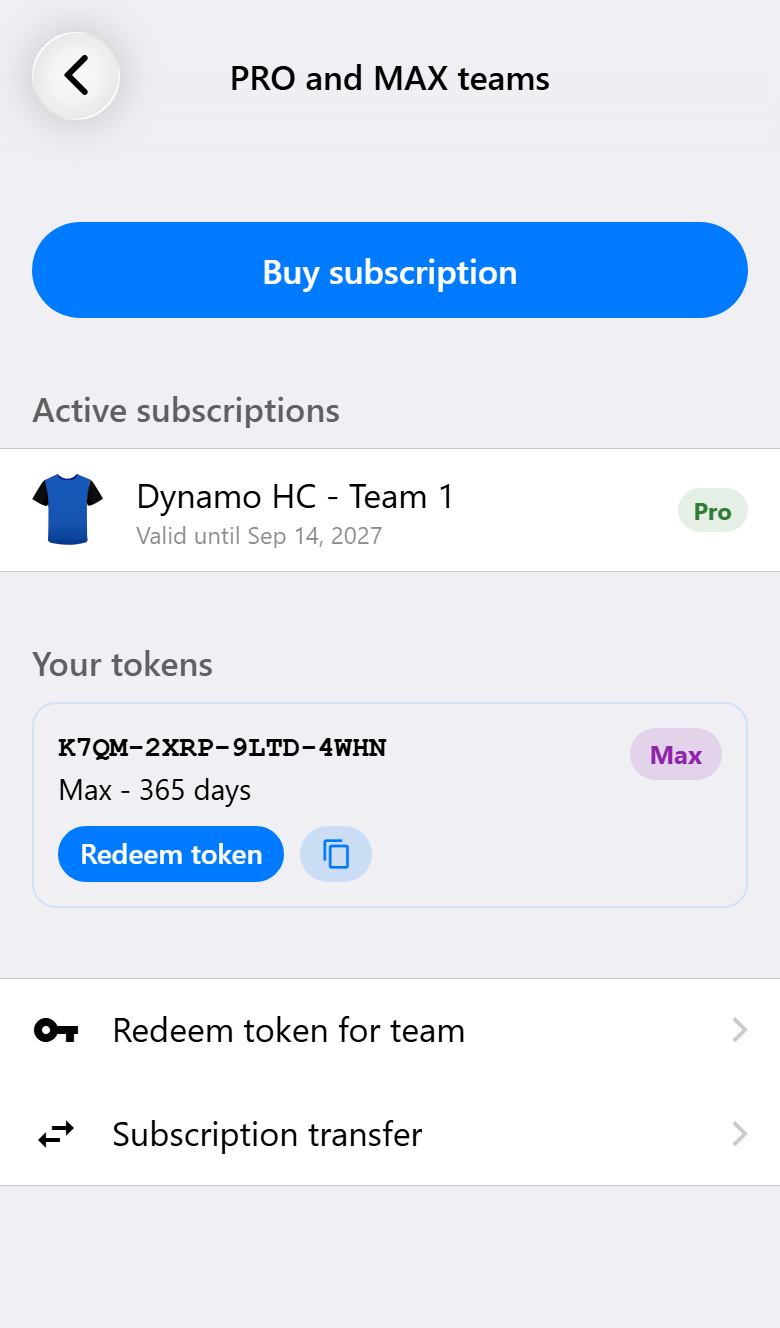
Subscriptions shows which of your teams are on Pro or Max and until when, and the tokens you have not used yet. Tap Redeem token to put one on a team. Under Redeem token for team you enter a token someone gave you. The confirmation email contains the token as well, so a token bought on one phone can be redeemed on another.
Renewing, upgrading and moving
Renewing. Buy another period before the current one has ended, and it starts when the current one ends: the team carries on without a gap, and the end date moves forward. The wizard calls this Renew.
From Pro to Max. Upgrading converts what is left of the Pro period into Max. You pay only the difference, worked out from the days that remain. The upgrade is always paid online, because a store cannot charge an amount that is worked out on the spot.
To another team. A subscription can be moved to another of your teams, for example when a team is replaced by a new one for the next season. The receiving team cannot have a subscription of its own at the time. To prevent misuse, a team can only move its subscription once in a while. If that is not possible yet, you can send a request with a reason, which someone reviews by hand.
Restoring. Bought through the App Store or Google Play, but the subscription is not on your team? Tap Restore purchases in Subscriptions to check with the store again.
When it ends
When a subscription runs out, the team is on Base again. Nothing is deleted:
- Every match you recorded stays, and stays yours.
- A match that was played on Pro or Max can still be read back with everything it had on the day, because what a report shows follows the tier of the day it was played.
- Periods, players and shared teams stay as they are.
What stops is what Base does not have: new matches beyond five, recording together, and the Pro and Max actions.
On Base
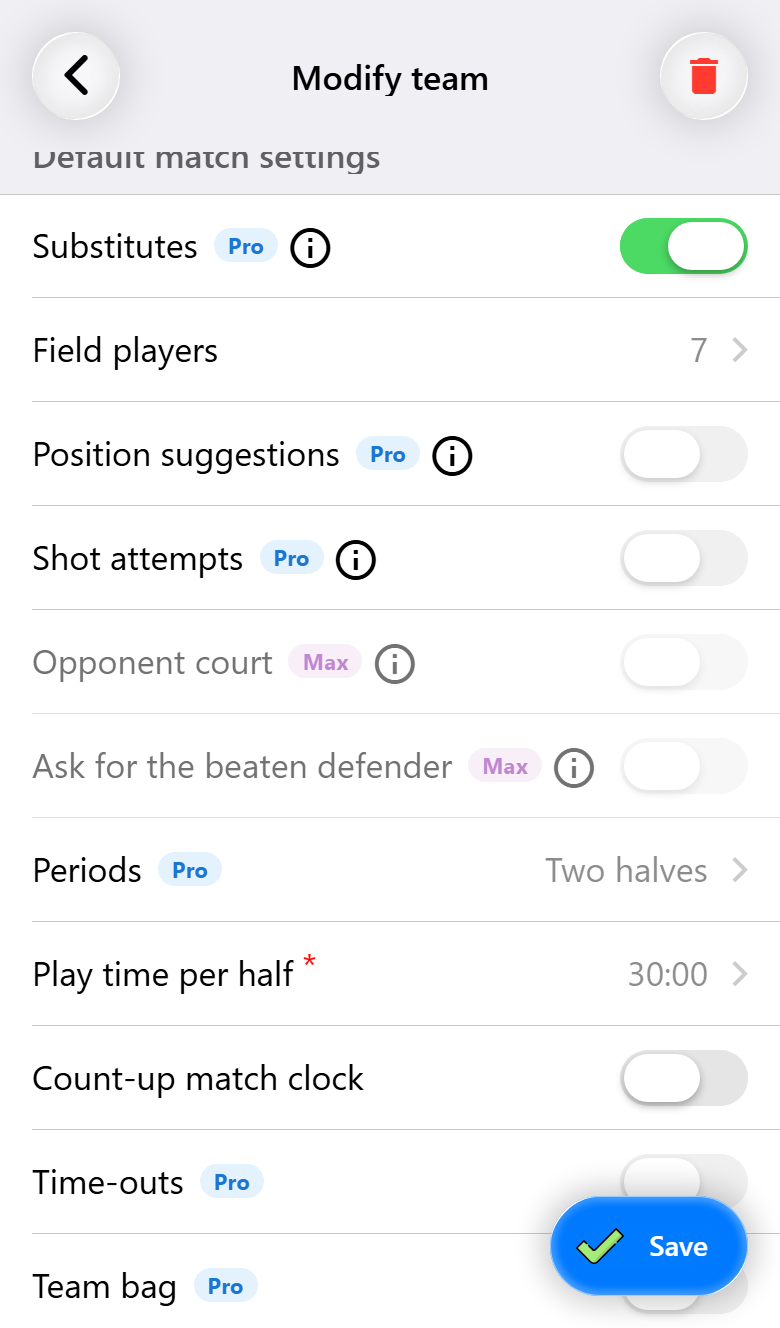
On Base you see what Pro and Max would add, marked with a small badge. Tap a badge, or a feature that needs more, and the app tells you which tier has it and what the feature does. From there the page of this guide that explains it is one tap away, so you can read about it before you decide.
What you need for what
| Base | Pro | Max | |
|---|---|---|---|
| Recording matches, with substitutions | ✓ | ✓ | ✓ |
| Match report and live scoreboard | ✓ | ✓ | ✓ |
| More than five matches, more teams with matches | ✓ | ✓ | |
| Shot attempts, full playing time, periods | ✓ | ✓ | |
| Match notes and tracked opponents | ✓ | ✓ | |
| Recording together, attendance, sharing a team | ✓ | ✓ | |
| PDF report and Excel export | ✓ | ✓ | |
| Turnovers, interceptions, blocks, fast breaks | ✓ | ||
| Opponent court | ✓ | ||
| Online statistics, coach dashboard, AI live report | ✓ |